5. Home
5.1. Application Menu Bar Positioning Options
Application Menu Bar Positioning Options
Overview
The Application Menu Bar has been enhanced with new positioning options that allow users to keep the menu permanently docked in their preferred location within the application.
Three new menu positioning modes are now available:
- Pinned Side Rail (Left)
- Pinned Side Rail (Right)
- Pinned Rail (Top)
These options provide greater flexibility in workspace customization and improve accessibility to application navigation controls.
Key Features
- Added three new Application Menu Bar positioning options
- Supports left, right, and top pinned menu layouts
- Keeps the application menu permanently visible and docked
- Enables users to customize the interface based on personal preference
- Improves accessibility and navigation efficiency
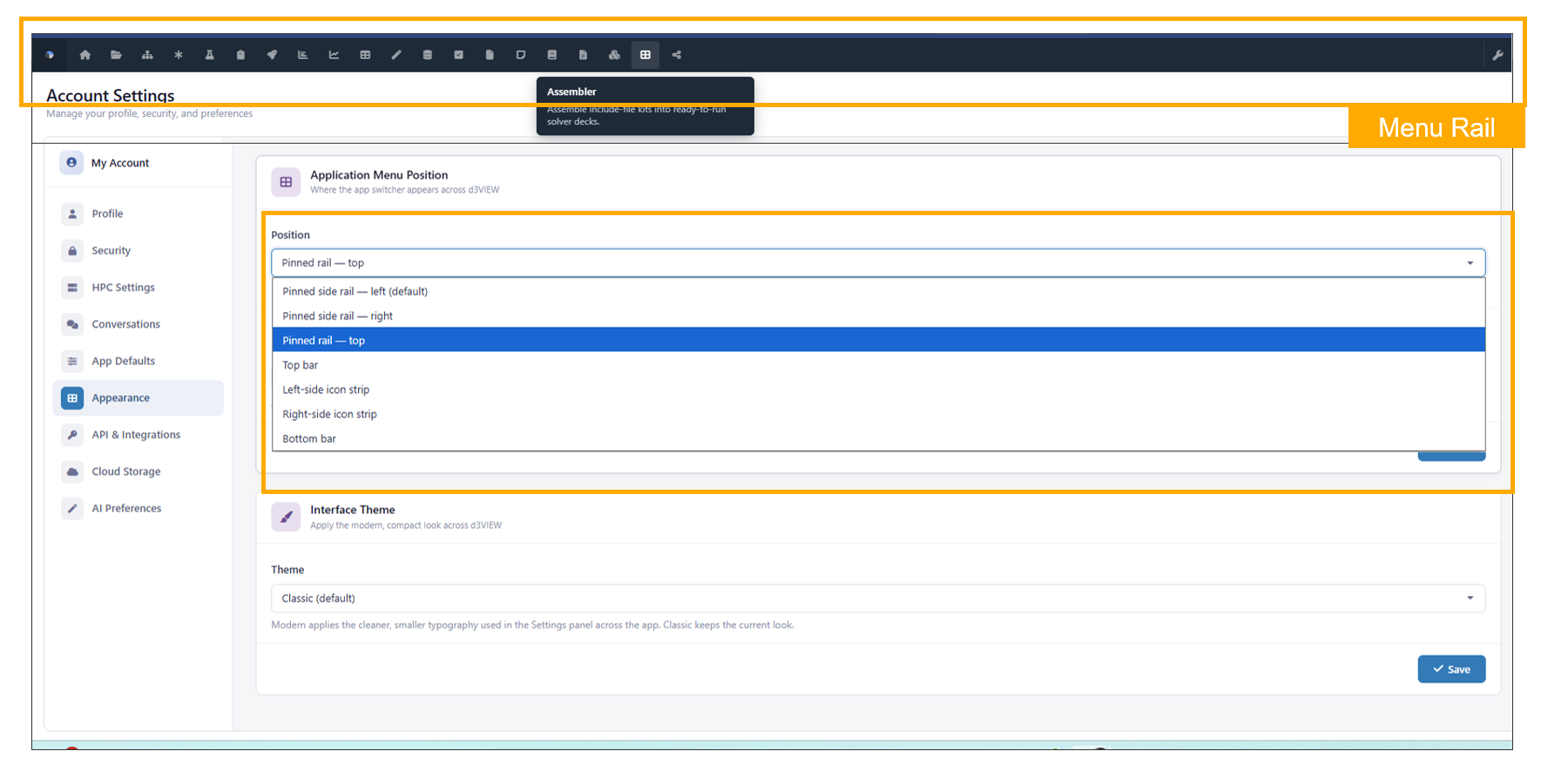
Application Menu Bar Positioning
5.2. User Menu
User Dropdown Menu Simplification
Overview
The user dropdown menu has been streamlined to provide a cleaner and more organized navigation experience.
Feature Description
The dropdown menu now displays only the following top-level options:
- Accounts
- Administration
- Logout
All administrative settings and related configuration options have been consolidated under the Administration section for improved organization and easier access.
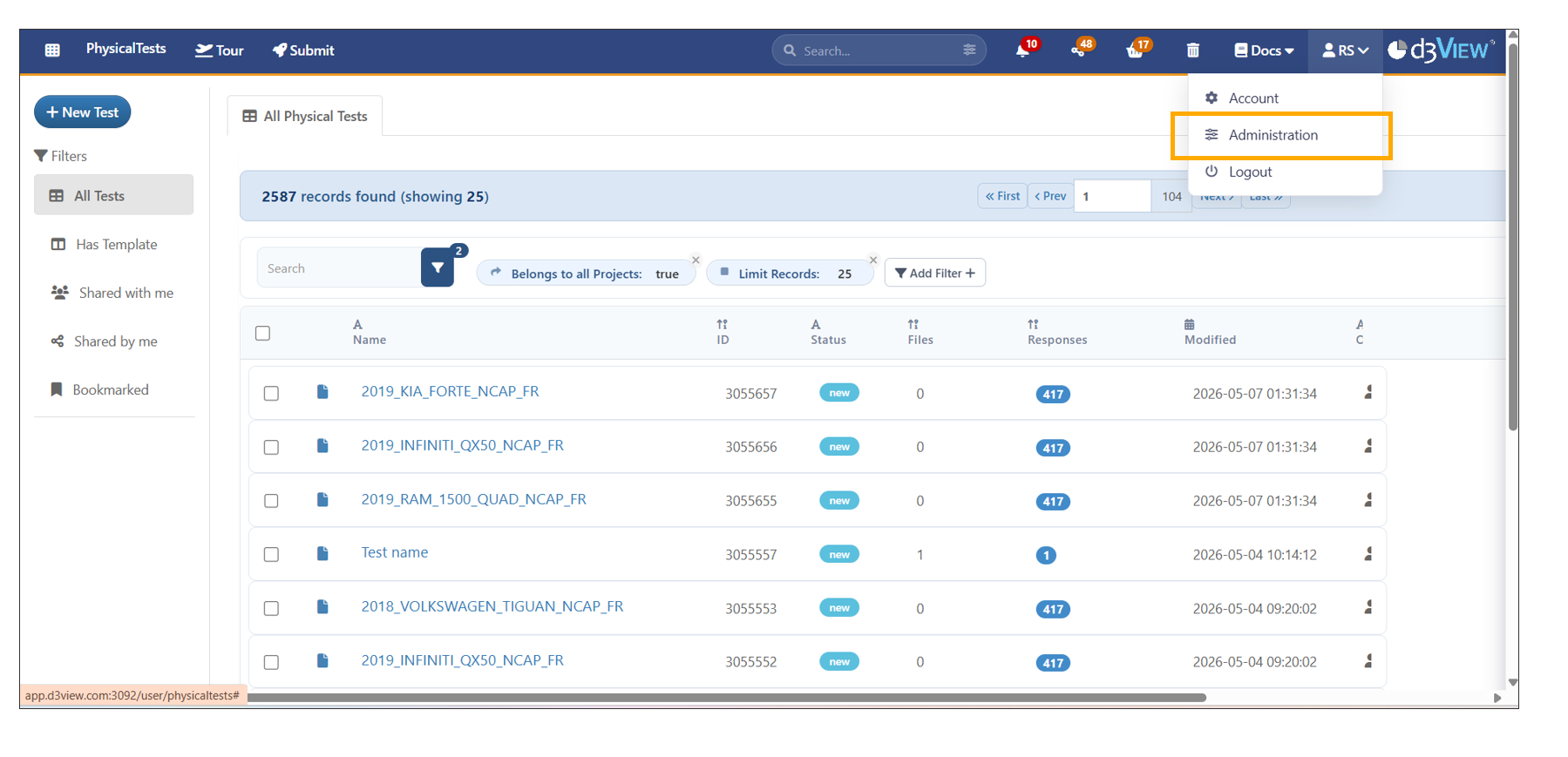
User Menu
5.3. Administration
Administration Section Reorganization
Overview
The Administration section has been reorganized into dedicated tabs to improve accessibility, navigation, and management of administrative features.
Feature Description
Administrative functionality is now grouped into the following dedicated tabs:
- Overview Settings
- Users
- Roles
- Teams
- Workorders
- Tag Groups
- Test Suite
- Logs
- Cronjobs
- HPC
- Organizations
- Templates
This updated structure provides a more organized and scalable administration experience.
Behavior
- Administrative sections are separated into clearly labeled tabs.
- Navigation between management areas is simplified and centralized.
- Existing administrative functionality remains available within the new tab structure.
Benefits
- Improves discoverability of administrative tools.
- Reduces navigation complexity within Administration.
- Enhances usability and scalability for system management tasks.
5.4. BASKET
Basket Integration for Simulations, Physical Tests, and Workflows
Overview
Records from Simulations, Physical Tests, and Workflows can now be added directly to the Basket using actions available in the top floating bar. Selected items can then be accessed from the Basket section in the application header.
Feature Description
The Basket functionality has been expanded to support records across multiple modules, allowing users to quickly collect and manage selected items during workflow operations.
Users can add records to the Basket directly from:
- Simulations
- Physical Tests
- Workflows
Added items are accessible through the Basket section located in the application header.
Behavior
- Selected records are added to the Basket immediately.
- The Basket supports records from multiple modules simultaneously.
- Items remain accessible from the Basket section in the header until removed.
Build Workflow
Overview
Workers from the All Workers section can now be added directly to the Basket and used to create workflows through the Build Workflow option available in the Basket tab.
Feature Description
This enhancement allows users to collect workers in the Basket before creating workflows, enabling a faster and more organized workflow-building experience.
Users can now:
- Add workers from the All Workers section to the Basket.
- Access selected workers from the Basket tab.
- Create workflows directly using the Build Workflow option.