DOCUMENT_DATA_PARSER
DOCUMENT_DATA_PARSER
Overview
A new worker, DOCUMENT_DATA_PARSER, is now available in Workflows.
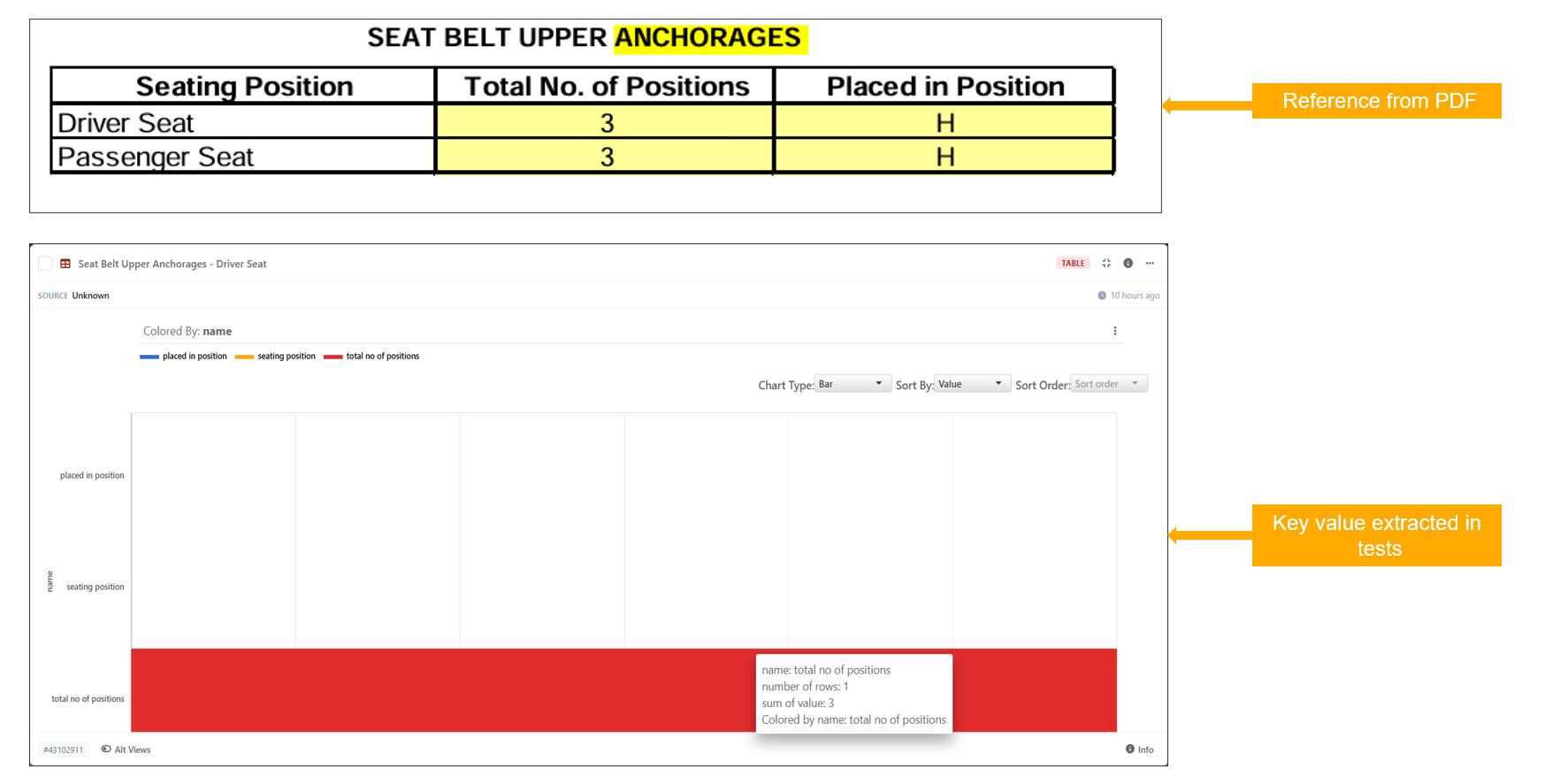
This worker automatically reads an attached PDF document and extracts all available response data for the selected physical test. The extracted information is made available for further analysis, review, and integration into workflow processes, reducing the need for manual data entry.
Key Features
- Added support for the
DOCUMENT_DATA_PARSERworker in Workflows - Automatically reads and processes attached PDF documents
- Extracts available response data for the selected physical test
- Simplifies access to test results and response information
- Reduces manual effort required for data extraction and review
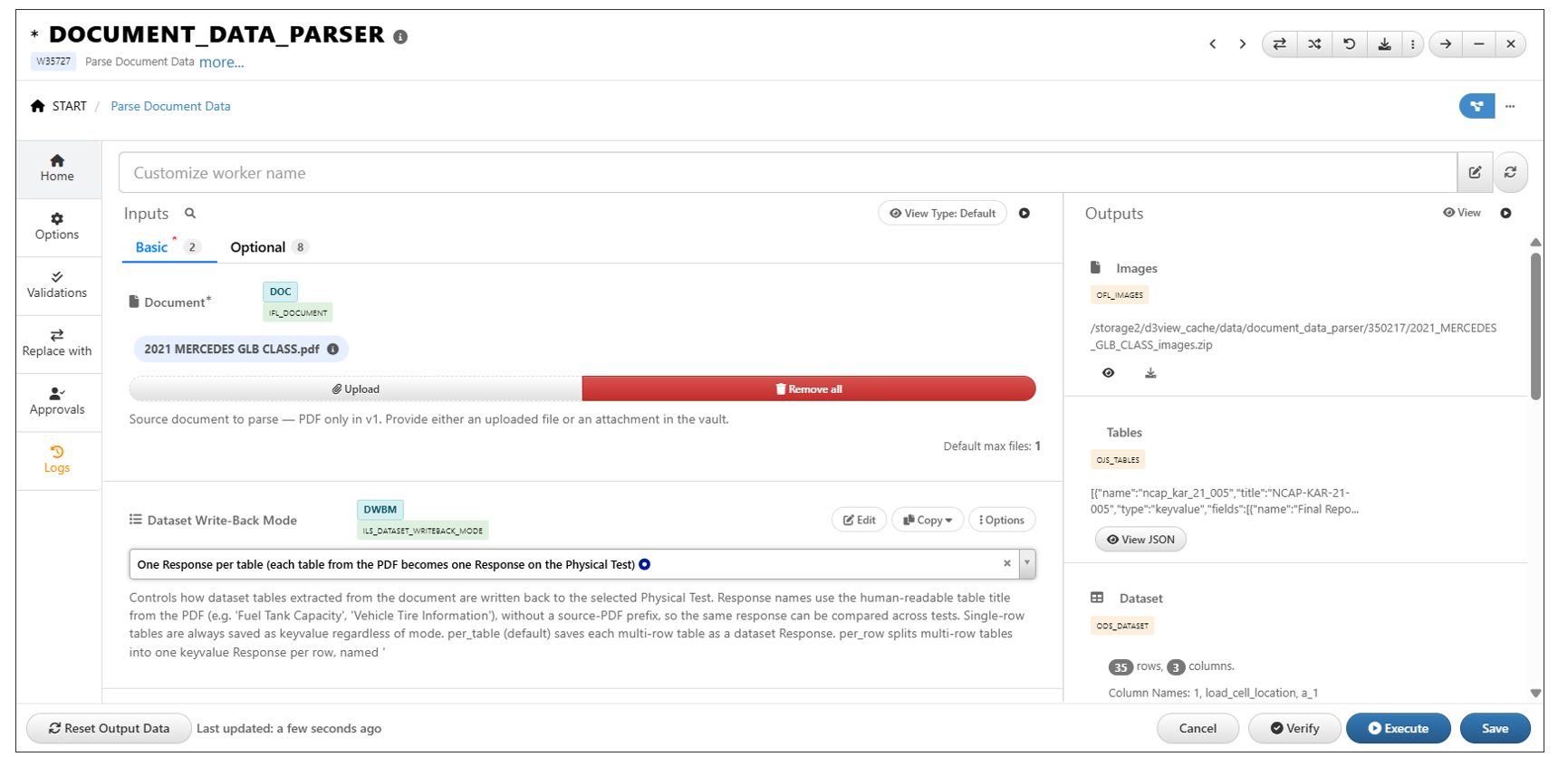
Images are extracted in Tests using *DOCUMENT_DATA_PARSER worker
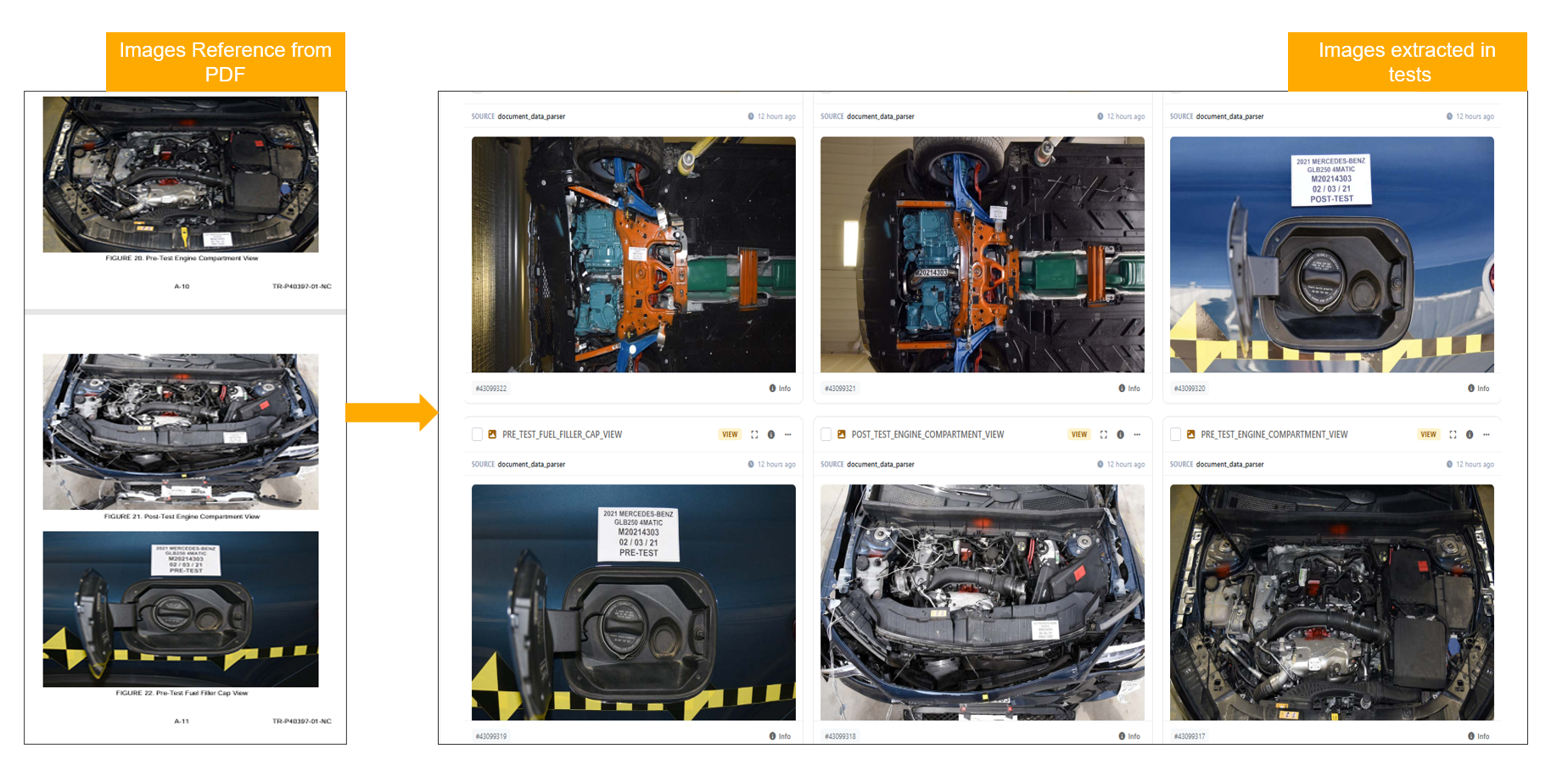
DOCUMENT_DATA_PARSER Dataset Write-Back Modes
Overview
The DOCUMENT_DATA_PARSER worker now supports a new Dataset Write-Back Modes input, providing flexible options for storing extracted response data within datasets.
Users can choose between two write-back modes:
- One Response per Table
- One Response per Row
This enhancement allows extracted physical test data to be organized according to specific reporting, analysis, and data management requirements.
Write-Back Modes
One Response per Table
In this mode, all extracted response data for a given response is written into a single table structure.
Key characteristics:
- Consolidates response data into table-based outputs
- Suitable for grouped analysis and reporting workflows
- Simplifies management of related response data
One Response per Row
In this mode, each extracted response is written as an individual dataset row.
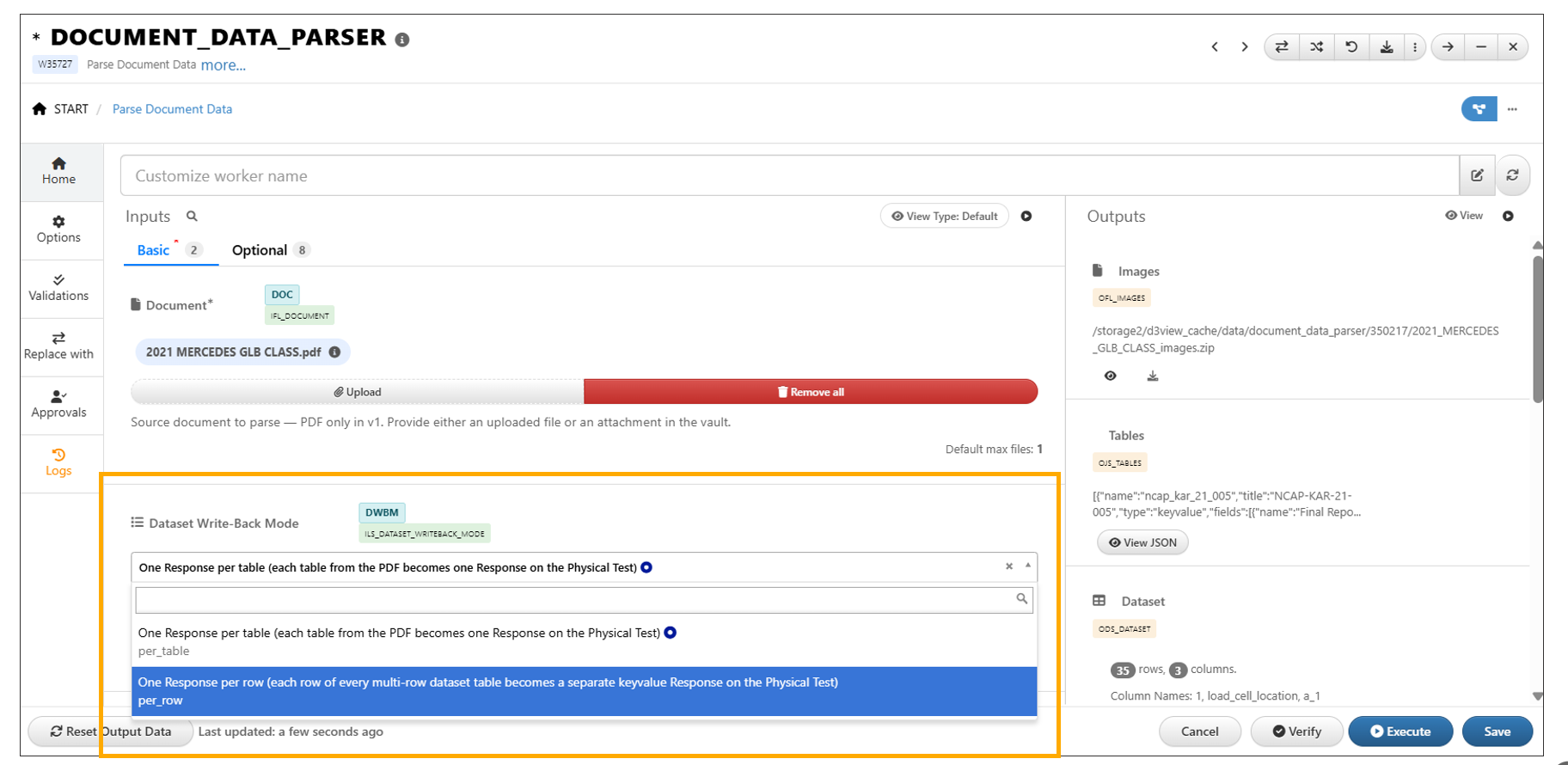
In ‘One Response per table’ , Each table from the PDF becomes one response in the Physical test
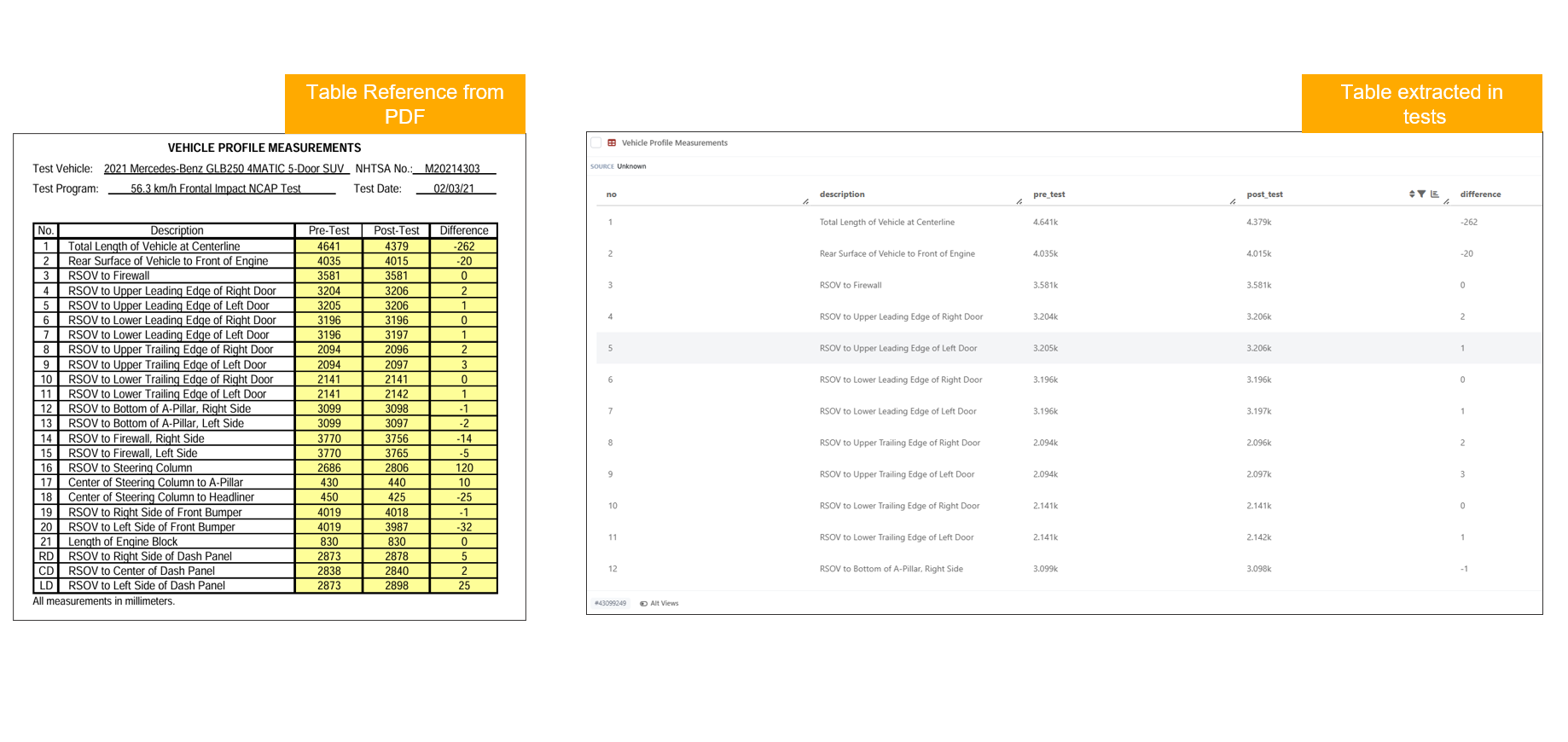
In ‘One response per row’, each row of every multi row dataset table becomes a separate keyvalue response on the physical test
In ‘One Response per table’ , Each table from the PDF becomes one response in the Physical test