DOE_ADAPTIVE_INFILL
Overview
A new workflow worker, DOE_ADAPTIVE_INFILL, has been added to Workflows.
This worker supports adaptive infill strategies within Design of Experiments (DOE) workflows, enabling iterative refinement of sample points based on existing results to improve model accuracy and exploration efficiency.
Key Features
- Added support for the
DOE_ADAPTIVE_INFILLworker in Workflows - Enables adaptive infill capabilities for DOE processes
- Supports iterative refinement of experiment sampling
- Improves efficiency of design space exploration
- Integrates seamlessly into existing workflow pipelines
DOE_ADAPTIVE_INFILL Input Options
Overview
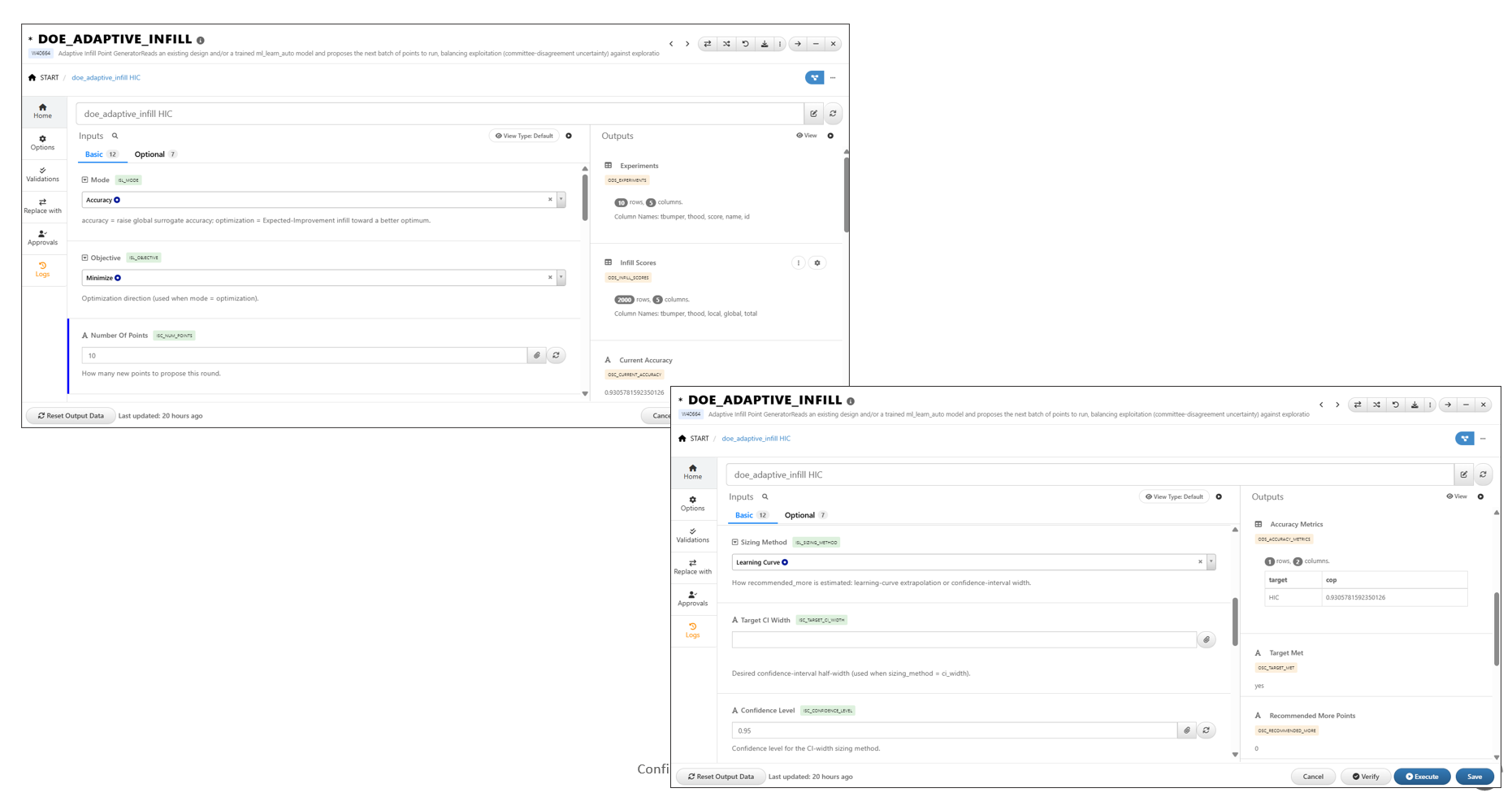
The DOE_ADAPTIVE_INFILL worker provides several configuration options that allow users to control how new infill points are generated and how the design space is explored.
These inputs help balance prediction accuracy, optimization objectives, and the number of additional experiments required.
Input Parameters
Mode
Select the infill strategy to use:
- Accuracy – Focuses on improving model accuracy by generating points in regions where additional data is expected to improve predictions.
- Optimization – Focuses on identifying points that may lead to improved objective function performance or optimal solutions.
Number of Points
Defines the number of infill points to generate.
- Typically corresponds to the desired number of additional experiments.
- Users can experiment with different values based on the number of experiments available in the generated experiments output.
- Increasing the number of points may improve coverage of the design space but can require additional computational or testing resources.
Target Accuracy
Specifies the desired prediction accuracy target for the adaptive infill process.
Recommendations:
- Use values below the current model accuracy to explore less aggressive refinement strategies.
- Use values above the current model accuracy to drive additional sampling and model improvement.
- The selected target accuracy influences how many new points may be required to achieve the desired performance level.
Learning Curve and Confidence Interval Options
Additional options are available to guide infill generation based on model performance characteristics.
- Learning Curve – Evaluates how model performance changes as additional data points are introduced.
- Confidence Interval – Uses model uncertainty information to identify regions where additional experiments may provide the greatest benefit.
DOE_ADAPTIVE_INFILL Support for Input Feature Names with Spaces
Overview
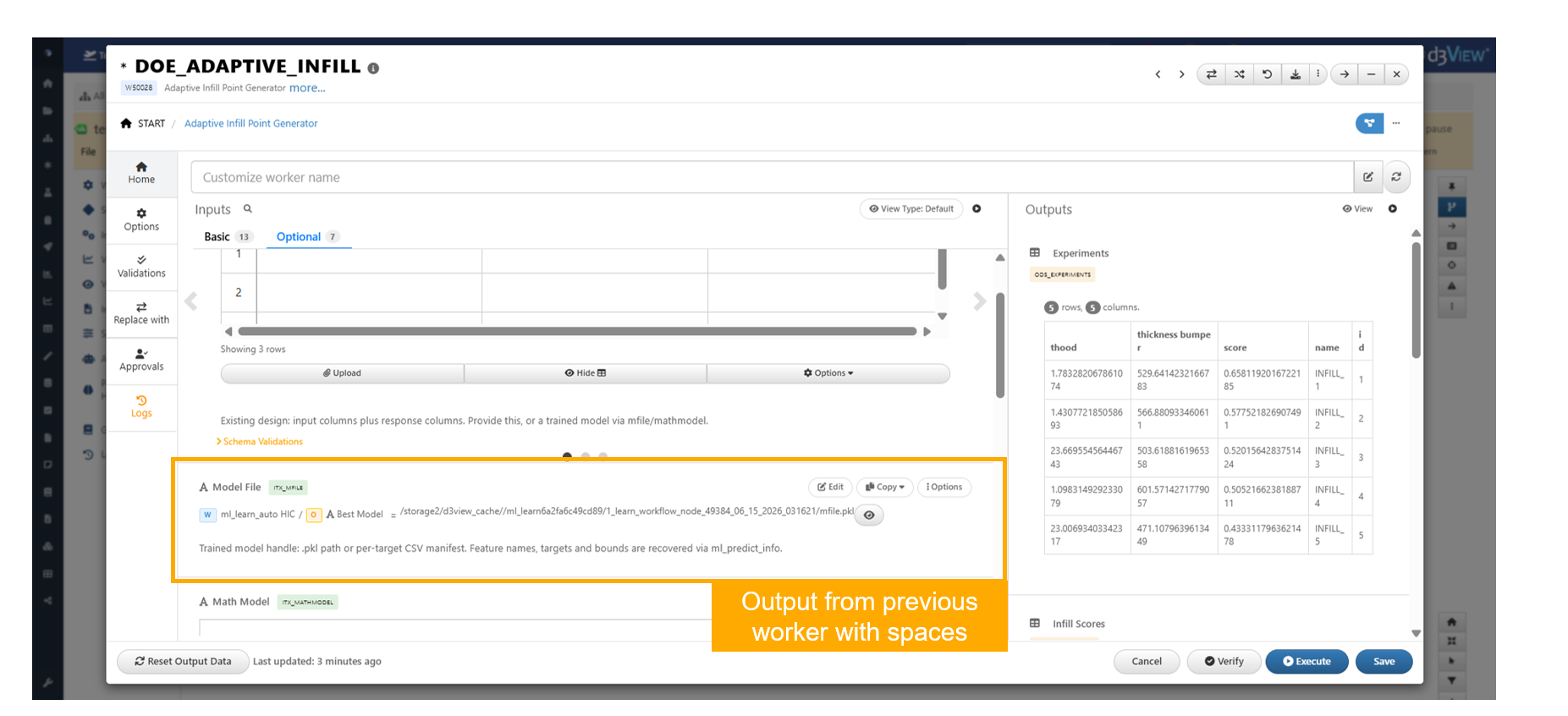
The DOE_ADAPTIVE_INFILL worker has been enhanced to correctly handle input feature names that contain spaces when received from upstream worker outputs.
This improvement ensures compatibility with outputs from workers such as ML_PREDICT, allowing workflows to execute successfully and generate the expected adaptive infill results without requiring manual modifications to feature names.
Key Features
- Added support for input feature names containing spaces
- Ensures compatibility with outputs from workers such as
ML_PREDICT - Eliminates issues caused by feature names with whitespace characters
- Improves interoperability between workflow workers
- Enables successful execution of adaptive infill workflows
DOE_ADAPTIVE_INFILL Recommends Additional Points When Target Accuracy Is Not Met
Overview
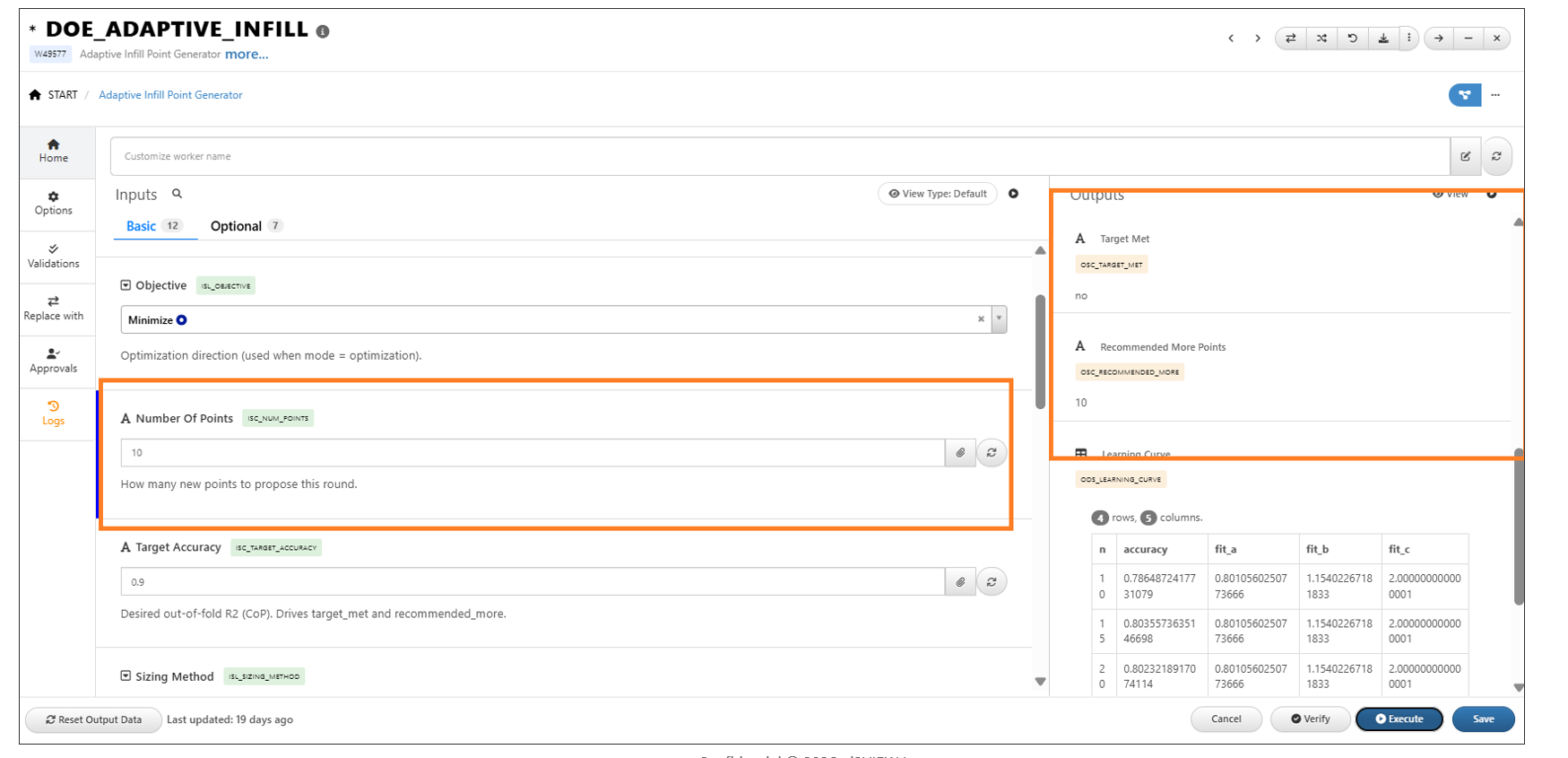
The DOE_ADAPTIVE_INFILL worker has been enhanced to recommend additional design points when the specified target accuracy is not achieved.
If the requested target accuracy cannot be met, the worker sets Target Met to No and Recommended More Points to the configured batch size, indicating the number of additional experiments recommended for the next iteration.
Key Features
- Recommends additional points when the target accuracy is not met
- Sets Target Met to No when the requested accuracy cannot be achieved
- Populates Recommended More Points with the configured batch size
- Provides clear guidance for subsequent adaptive infill iterations
- Supports more efficient design space exploration
Behavior
- The worker evaluates whether the specified target accuracy has been achieved.
- If the target accuracy is met, no additional points are recommended.
- If the target accuracy cannot be achieved, Target Met is set to No.
- Recommended More Points is automatically set to the requested batch size, indicating how many additional points should be generated in the next iteration.