FEM_BOM
FEM_BOM Worker Added to Generate LS-DYNA Bill of Materials
Overview
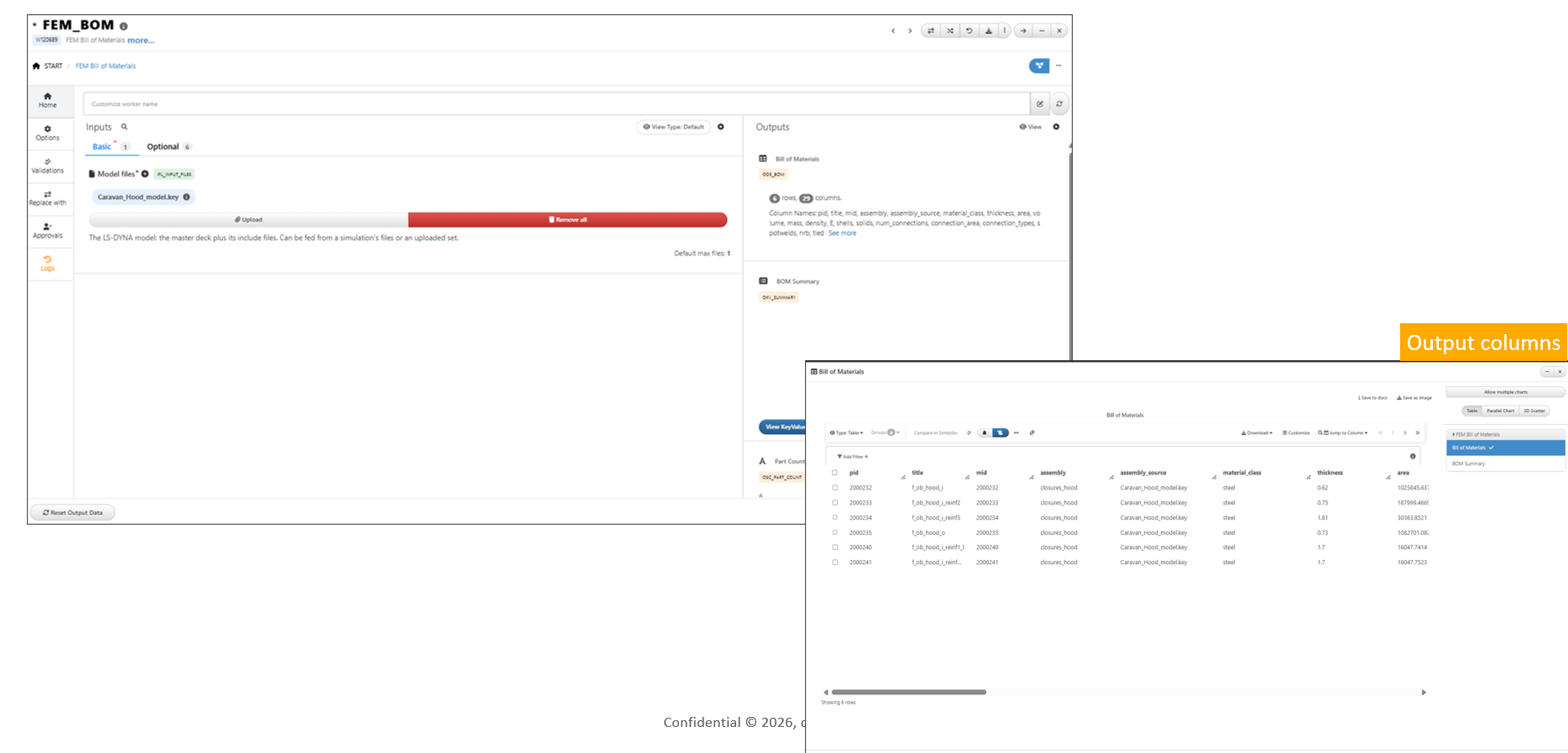
The FEM_BOM worker has been added to Workflows to generate a comprehensive Bill of Materials (BOM) from an LS-DYNA model.
The worker extracts detailed information for each part, including material properties, thickness, mass, connections, features, class, assembly information, and overall summary statistics, providing a complete overview of the model structure.
Key Features
- Added the
FEM_BOMworker to Workflows - Generates a comprehensive Bill of Materials (BOM) from an LS-DYNA model
- Extracts per-part details including material, thickness, mass, connections, features, class, and assembly
- Produces summary statistics for the overall model
- Simplifies model review, reporting, and downstream analysis
FEM_BOM Worker Supports Connections Dataset Output
Overview
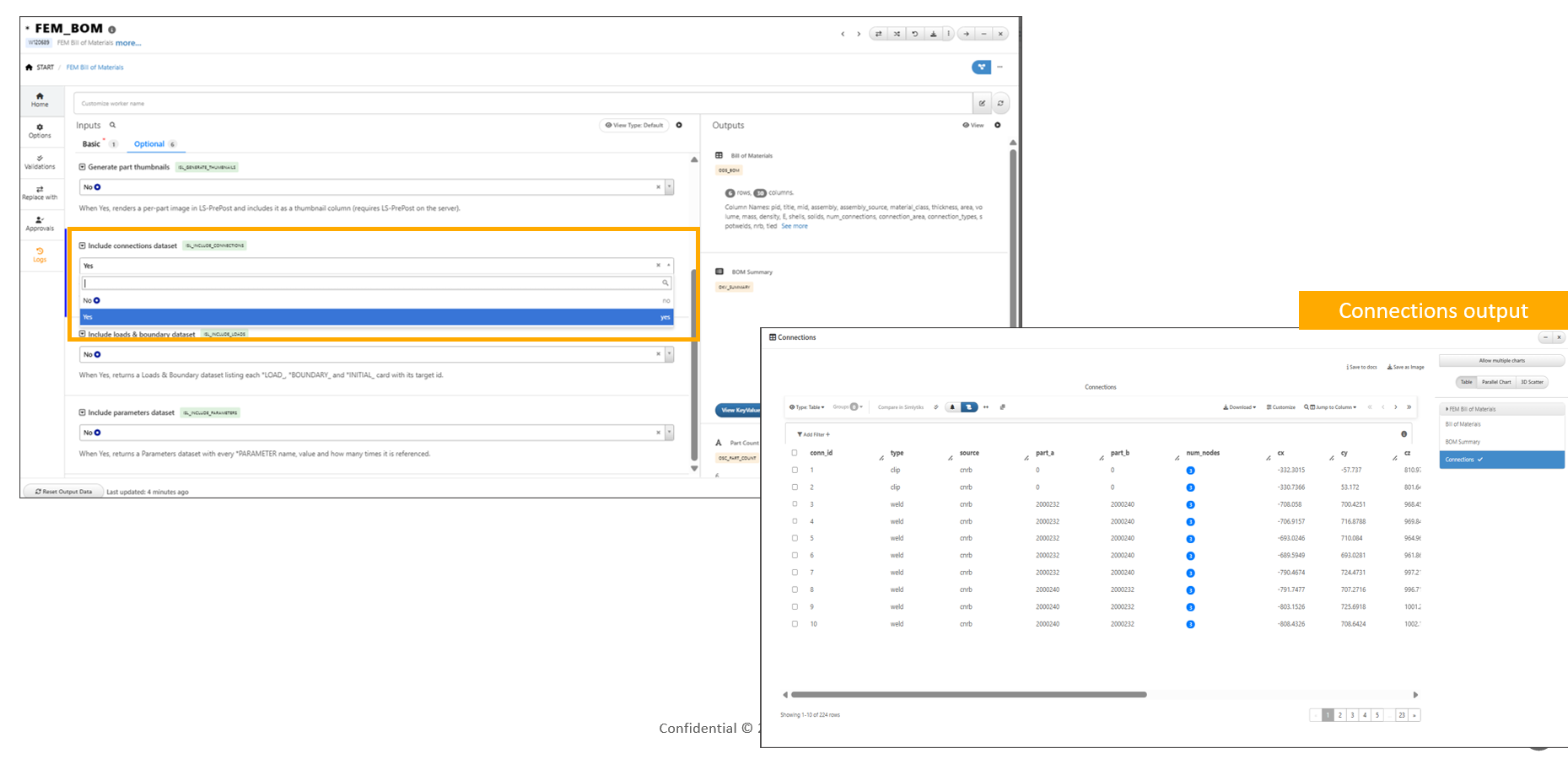
The FEM_BOM worker now supports a new Include Connections Dataset input, enabling the generation of a dedicated Connections dataset.
When enabled, the worker produces per-connection information, including connection type, geometry, area, mass, and stiffness, providing detailed insight into the connections within an LS-DYNA model.
Key Features
- Added the Include Connections Dataset input to the
FEM_BOMworker - Generates a dedicated Connections dataset
- Outputs one record for each connection in the model
- Includes connection type, geometry, area, mass, and stiffness details
- Enhances BOM reporting with connection-level information
EM_BOM Worker Supports d3hsp Run Statistics Extraction
Overview
The FEM_BOM worker now supports a new Folder of Simulations input together with an Include d3hsp Run Stats option.
When enabled, the worker scans the supplied simulation folders, reads the associated d3hsp files, and extracts simulation run statistics, including timing information, node, element, and part counts, as well as the elapsed runtime.
Key Features
- Added a Folder of Simulations input to the
FEM_BOMworker - Added an Include d3hsp Run Stats option
- Extracts run statistics from
d3hspfiles - Reports node, element, and part counts for each simulation
- Captures simulation timing and elapsed runtime
- Generates run statistics alongside the standard BOM outputs
