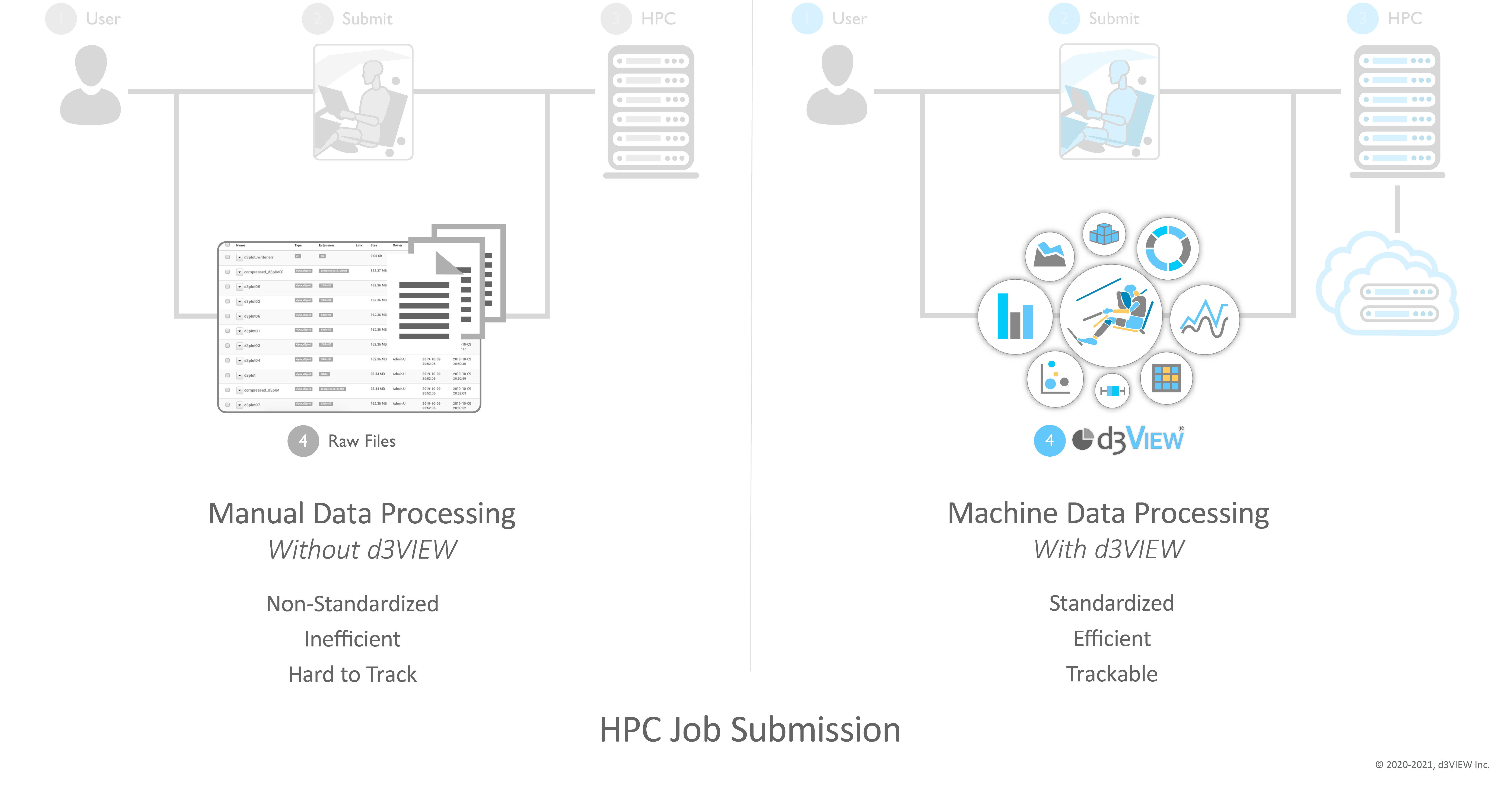
HPC job submission cycle comparing manual data processing with standardized machine data processing through d3VIEW

High Performance Computing

Submit, monitor, and visualize jobs.

HPC Job Submission

With high performance comes more aptitude to keep the system running smoothly. d3VIEW eliminates the tumult of managing and sustaining your HPC system by efficiently standardizing and tracking computation.

The job cycle brings users, submissions, HPC resources, raw files, and machine data processing into one trackable flow.

A submitted simulation deck enters parallel queue lanes, reaches a scheduler that branches work across a multi-node compute rack, produces result files, and ends in post-processing with overlaid response curves.

HPC Integration

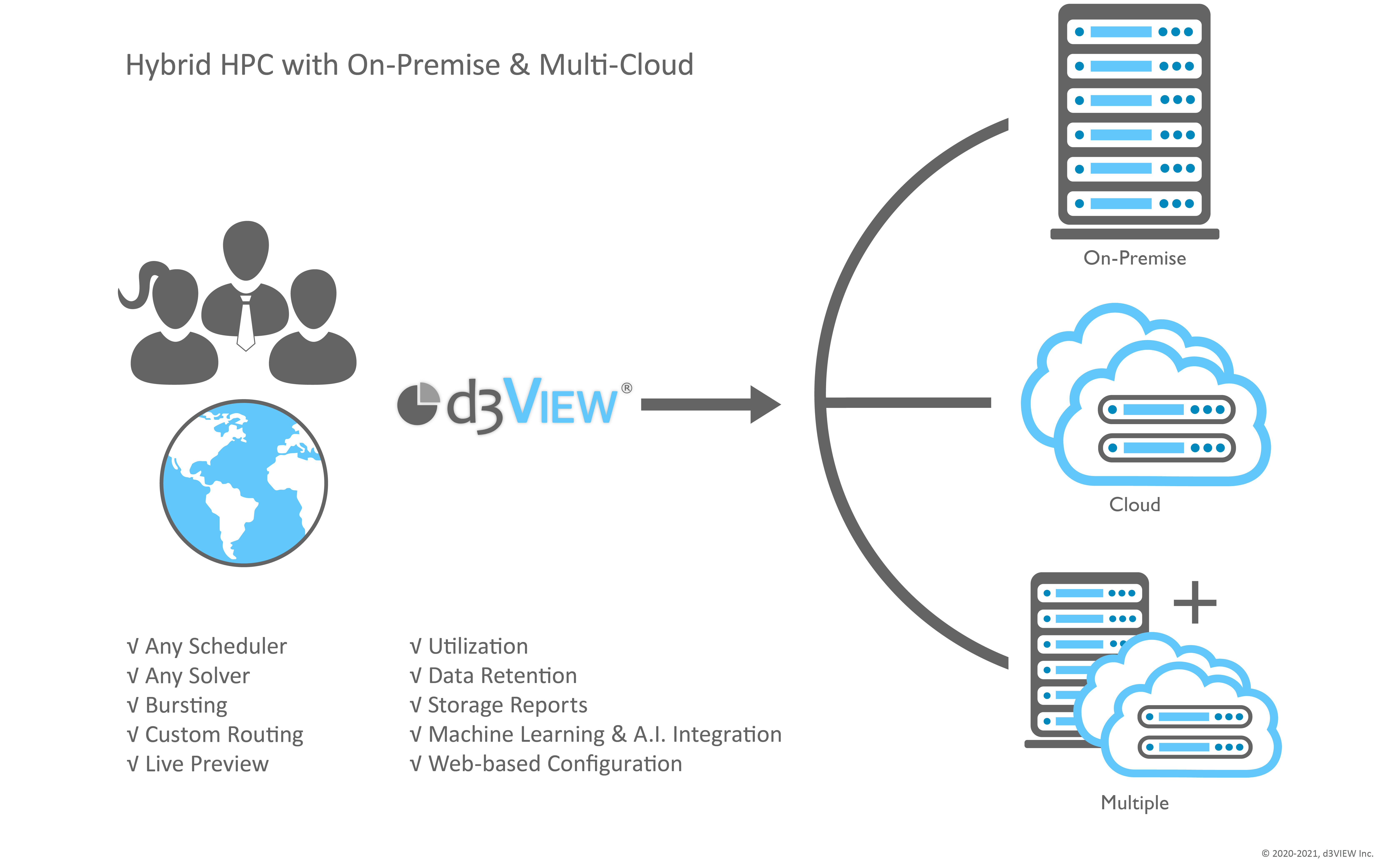
HPC resource utilization is made easy with web-based configuration and customization. Integrate any CAE solver with support for all solver options. We work with an array of cluster management software to make HPC integration seamless.

HPC Configuration

Submit simulations using on-premise or cloud resource, or burst based on on-premise availability.

Cloud bursting

Deploy extra computing on-demand using cloud bursting with support for a variety of cloud providers.

CAE solver integration

Customize solver attributes and preserve support for all solver options.

Simulation demand reaches a capacity decision, fills available on-premise compute first, bursts only the excess work to elastic cloud capacity, and reunites both paths through one solver and result record.

Simulation Submission

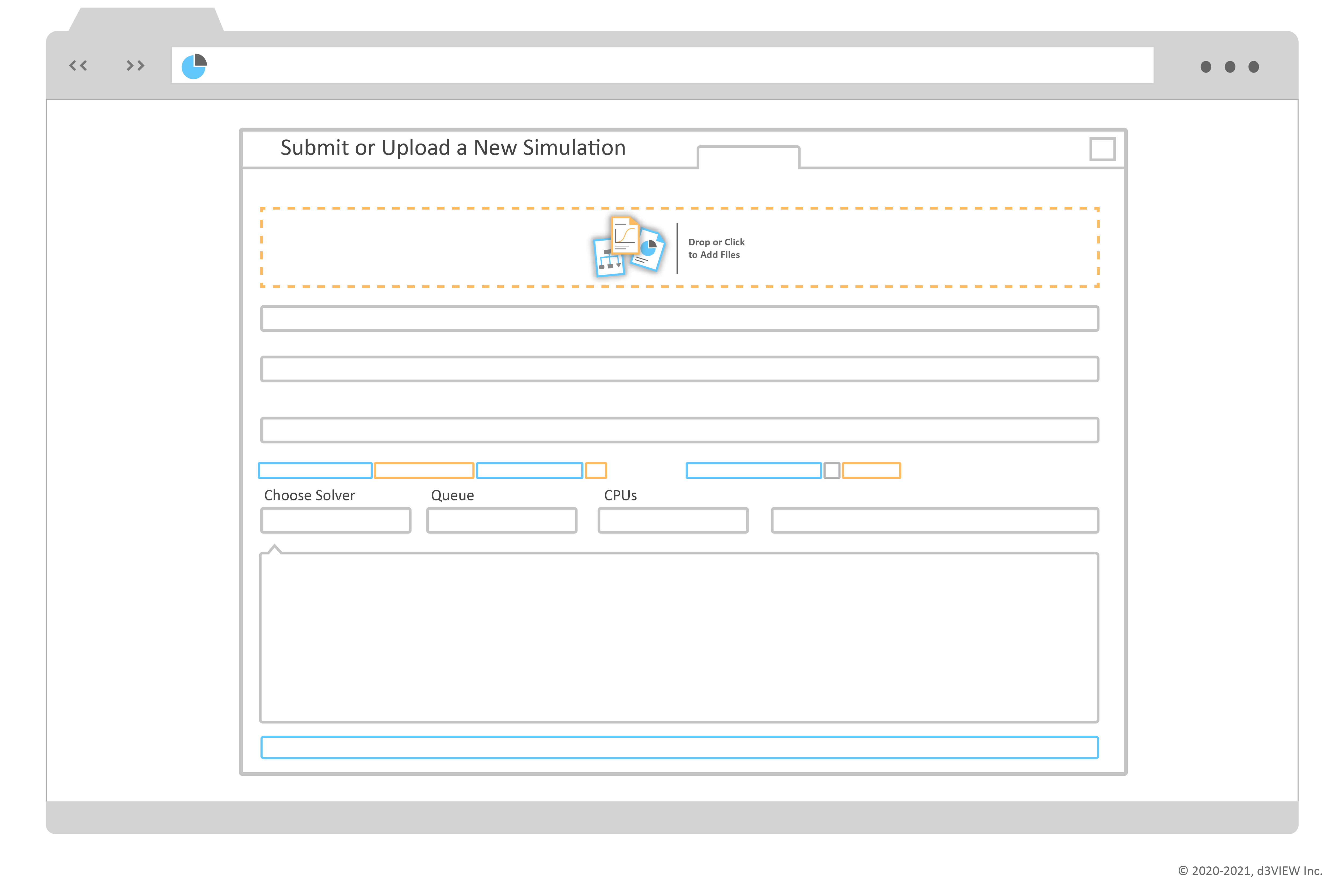
Our job submission setup makes configuring jobs simple and smooth.
  • Submit multiple simulations simultaneously.
  • Customize a submission using HPC servers and metadata.
  • Set compute resources and solver attributes.
  • Save a particular setup for later.
A simulation deck, reusable setup, solver controls, and requested compute resources converge into one checked job manifest; only the validated package proceeds into the submission queue.
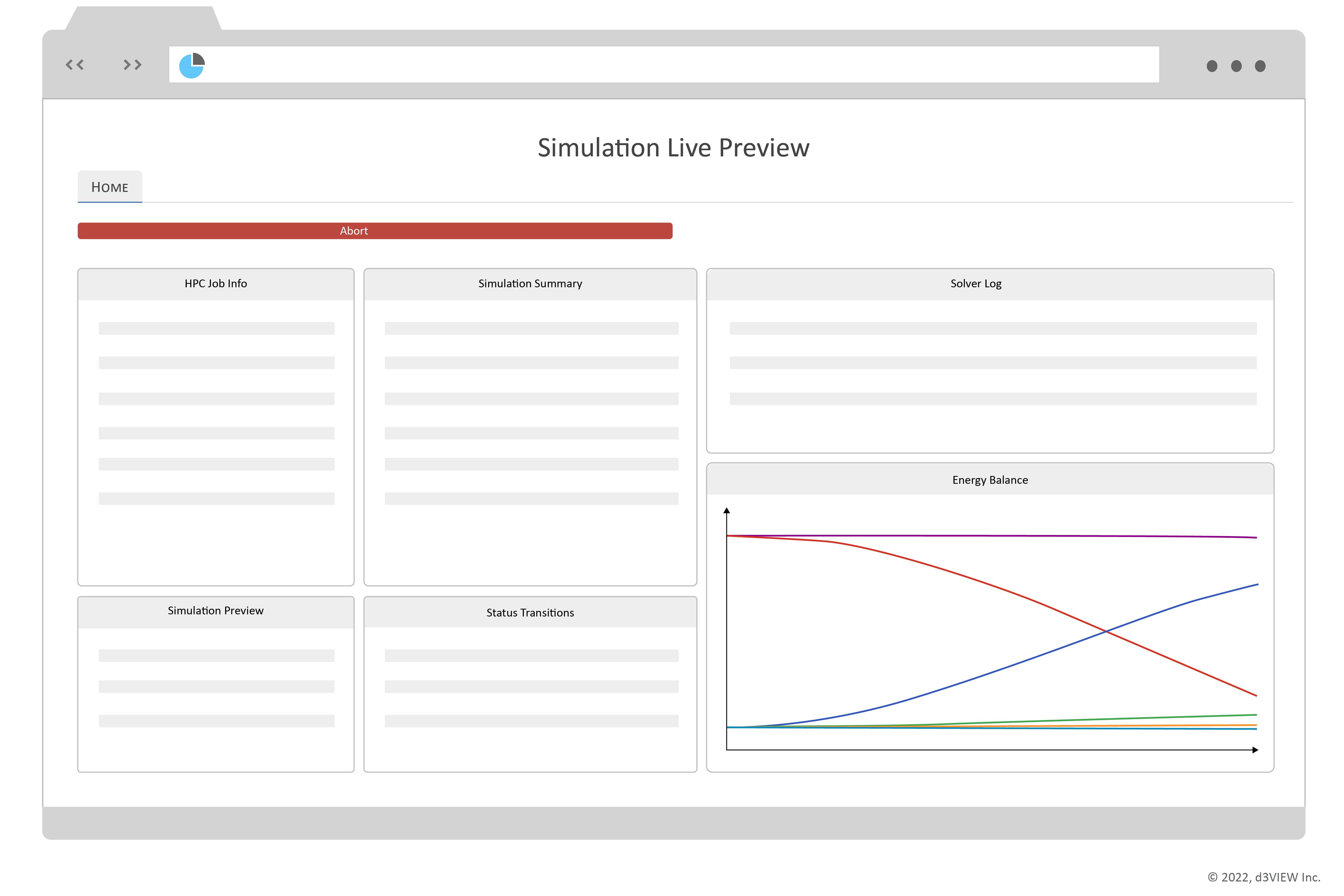
Live simulation preview showing HPC job information, simulation summary, solver log, status transitions, and energy balance

Mid-Run Simulation Data Extraction

View intermediate or preview data while a simulation is actively solving. Extract and re-extract missing or stale responses and transformations.

Simulation Interactions

Abort or stop your job with a simple click. Examine your simulation visually in real-time as it progresses with a live preview. Customize the live-preview summary using integrated and specialized templates.

Resource Monitoring

Click on the HPC server status visualization in the job submission window to view a live, interactive summary of usage.
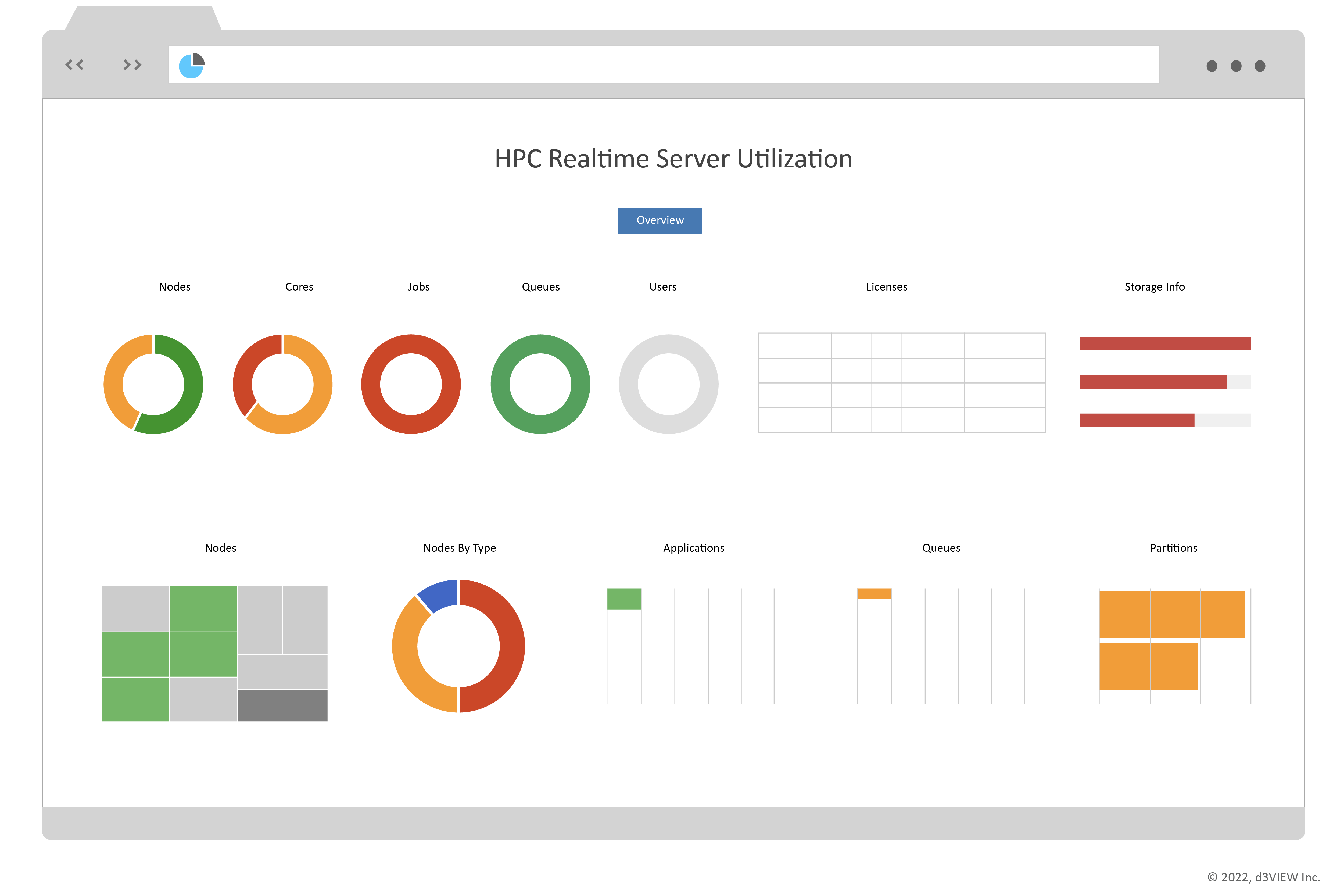
  • Review available cores and nodes.
  • Review storage information, applications, and partitions.
HPC realtime server utilization dashboard showing nodes, cores, jobs, queues, users, applications, partitions, and storage information

Job Submission Tracking

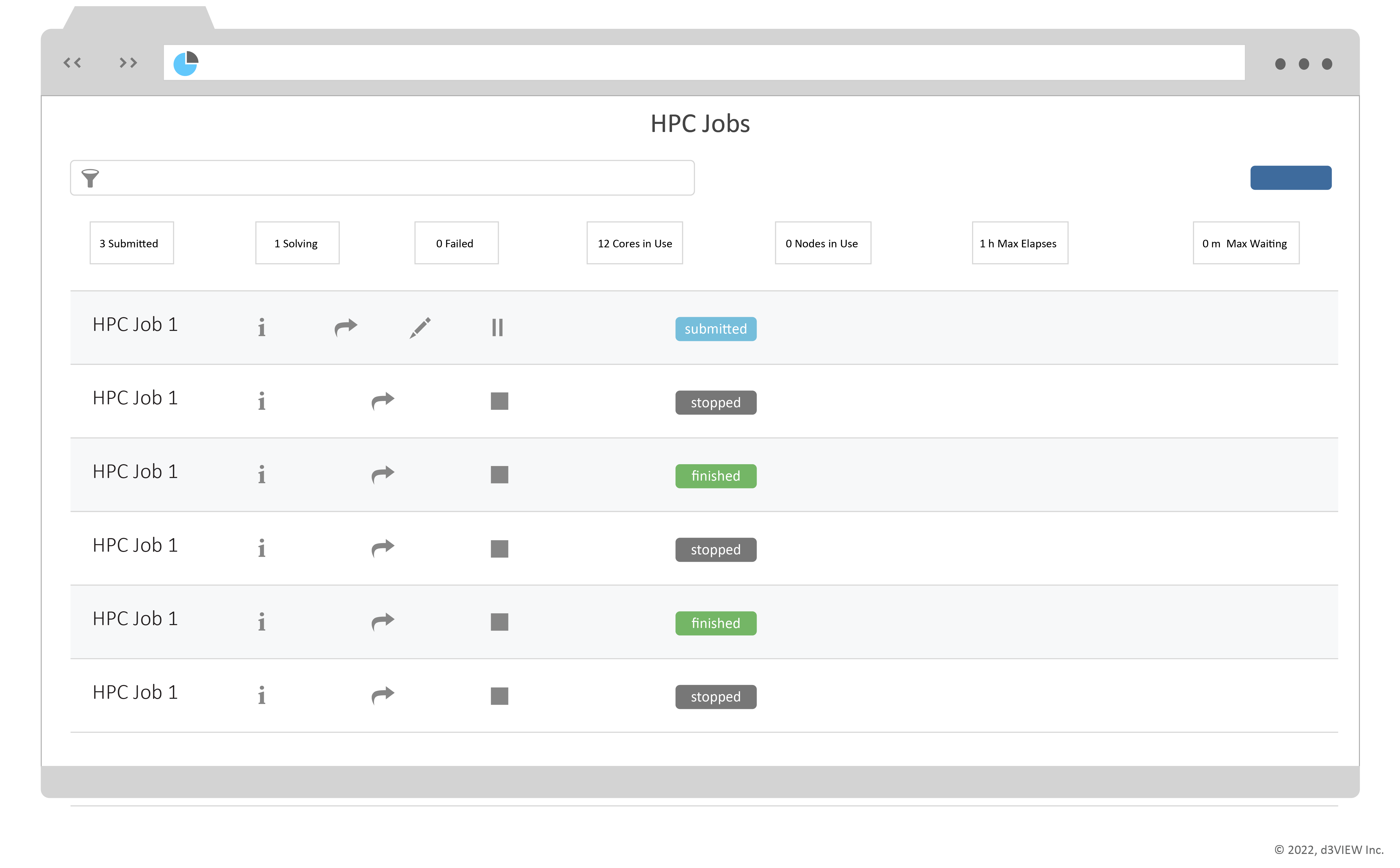
Use the HPC jobs app to keep track of all your job submissions with a summary and different view options. See a visualized grouped view of your submissions or explore them in Simlytiks, d3VIEW's data visualization application.

The same submitted job advances from a waiting queue to active compute, then to completed result files and engineering review; its traceable history finally contributes to the grouped analytics view.

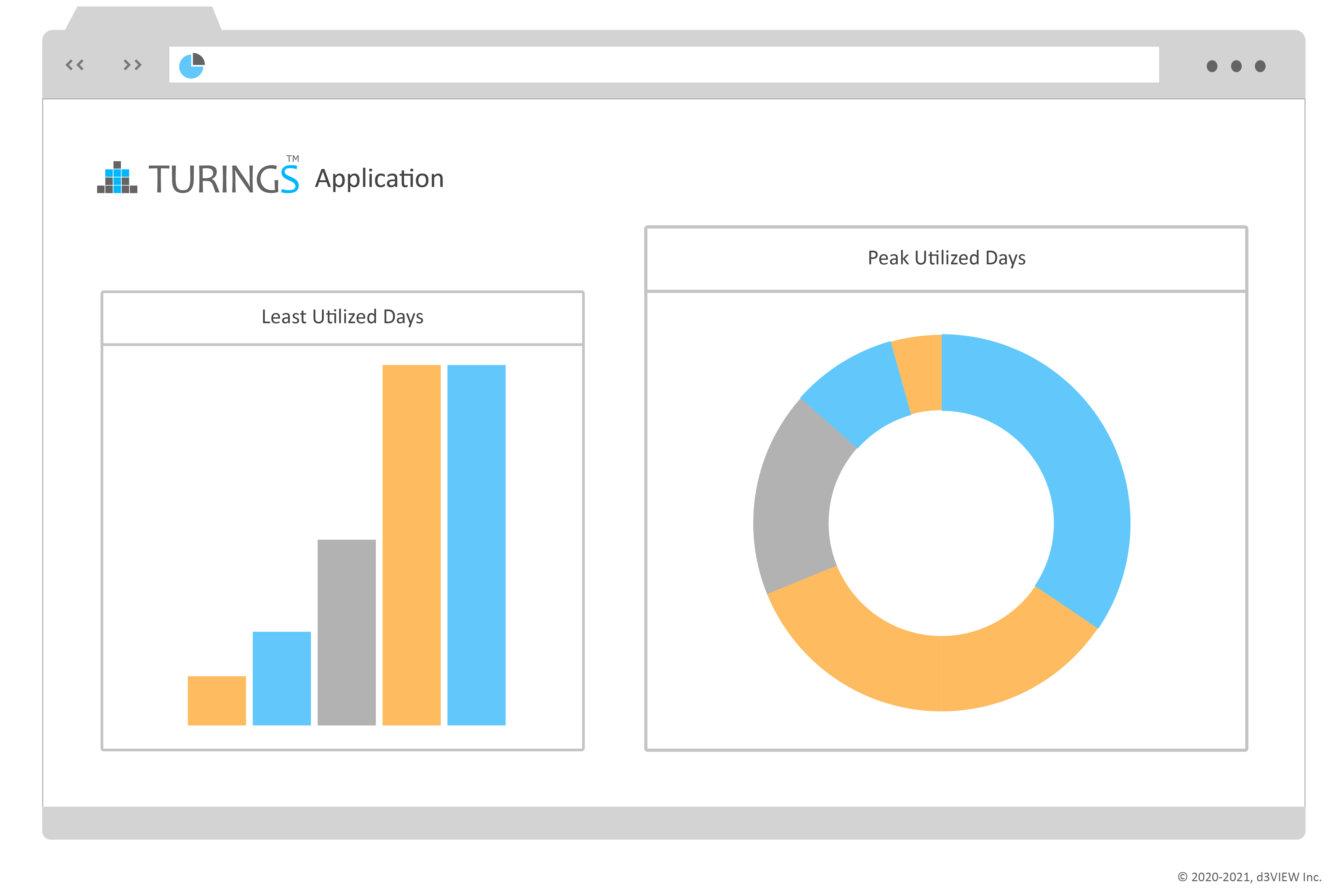
HPC Management with Turings Application

Explore an extensive summary and visualization of your servers, how they are being used, which users are using them, and more. Use the moving time frame to examine usage in more detail.

Review cores allocated, elapsed time, wait time, and core hours for every week.

A selected time window on the server history links the same moment to rack utilization, queue delay, storage pressure, and resource allocation, producing one evidence-based capacity decision.

Maximize Your HPC Productivity

With the importance of data-driven decisions, expediting these processes derives better business solutions. Let us take the reins in managing your HPC so you can focus more energy on decision-making instead of data-processing.

Request more information

HPC examples and demonstrations

Explore the original job-submission, scheduler, monitoring, and mid-run examples preserved from the d3VIEW application page.


High Performance Computing 

Submit, Monitor and Visualize Jobs
Play Video

HPC Job Submission

With high performance comes more aptitude to keep the system running smoothly.

d3VIEW eliminates the tumult of managing and sustaining your HPC system by efficiently standardizing and tracking computation. 

HPC Integration

HPC resource utilization is made easy with web-based configuration and customization.

Integrate any CAE solver with support for all solver options. 

We work with an array of cluster management software to make HPC integration seamless. 

HPC Configuration

Submit simulations using on-premise or cloud resource, or burst based on on-premise availability.

Deploy extra computing on-demand using cloud bursting with support for a variety of cloud providers.

Simulation Submission

Our job submission setup makes configuring jobs simple and smooth.

Save time by submitting multiple simulations simultaneously.

Customize your submission based on HPC servers, meta data, compute resources and solver attributes, with the ability to save a particular set-up for later.

Play Video

Mid-Run Simulation Data Extraction

View intermediate or preview data while a simulation is actively solving.

Extract and re-extract missing or stale responses and transformations.

Watch the video to the left to learn more.

Resource Monitoring

Click on the HPC server status visualization in the job submission window to view a live, interactive summary of usage.

Review available cores and nodes, licenses, storage information, applications and partitions.

Simulation Interactions

Abort or Stop your job with a simple click.

Examine your simulation visually in real-time as it progresses with a live preview.

Customize the live-preview summary using integrated and specialized templates.

Job Submission Tracking

Use the HPC jobs app to keep track of all you job submissions with a summary and different view options.

See a visualized grouped view of your submissions or even explore them in Simlytiks®, d3VIEW’s data visualization application.

HPC Management with Turings Application

Explore an extensive summary and visualization of your servers, how they are being used, which users are using them and much more.

Use the moving time frame to examine usage in more detail.

Review Cores allocated, Elapsed time (hours), Wait time (hours) and Core Hours for every week.

Maximize Your HPC Productivity

With the importance of data-driven decisions, expediting these processes derives better business solutions.

Let us take the reins in managing your HPC so you can focus more energy on decision-making instead of data-processing.