Variables
Set the design variables that define each LS-DYNA simulation.

DOE, Sensitivity Analysis and Optimization
d3VIEW provides extensive capabilities to help in running large-scale design-of-experiments, sensitivity analysis and optimization for LS-DYNA simulations.
With built-in extractors for BINOUT, D3PLOT, D3HSP, EIGOUT, and D3EIGV, the necessary data can be extracted in parallel and aggregated. d3VIEW-ML includes regression and classification so models can be built from extracted data and explored further to find optimum values.
Set the design variables that define each LS-DYNA simulation.
Extract and aggregate simulation responses from the supported result files.
Run large-scale design-of-experiments and compare the resulting studies.
Build regression or classification models and explore optimum values.
Preview intermediate results, identify target points, and report findings.
Design-of-experiments studies make it possible to sweep simulation inputs, extract responses in parallel, and aggregate the data for sensitivity analysis.
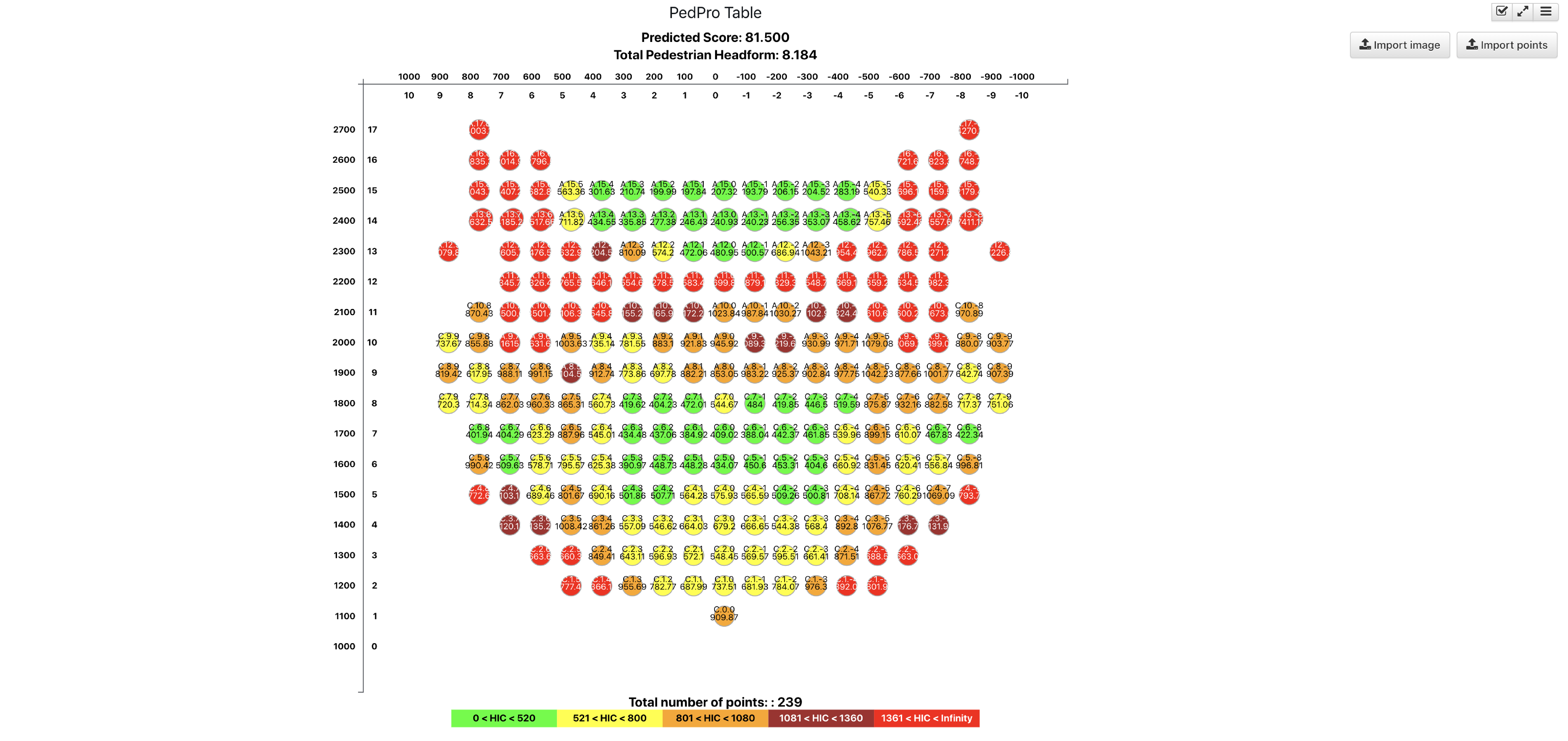
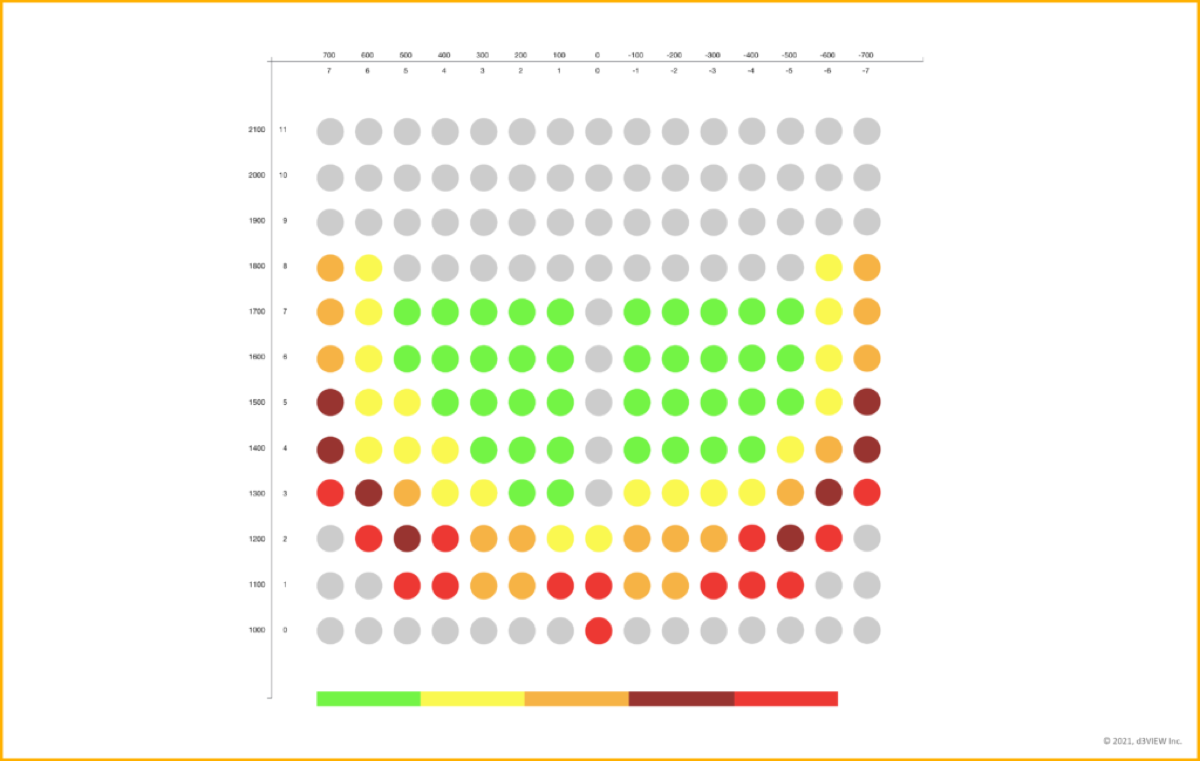
For pedestrian protection, the resulting response space can be evaluated against HIC targets and used to identify opportunity points for further optimization.
Pedestrian protection HIC optimization is one example application: run a full-sweep of simulations, identify opportunity target points, and optimize them to improve overall score.
The PedPro view keeps the evaluation tied to the response data, with predicted score and total pedestrian headform results visible alongside the study points.
| Capability | Description |
|---|---|
| Workflow driven HPC Job Submission to submit, extract, analyze and report | With multiple connection types available, you can connect to on-premise, AWS, AZURE, OCI clusters. |
| Intermediate Preview of Results | You can preview intermediate results as the simulation is progressing to view results from GLSTAT, D3PLOT, and BINOUT. |
| Extract results and aggregate from the simulations | Extract results in parallel and aggregate data from BINOUT, D3PLOT, and D3HSP. |
| Build model using d3VIEW-ML | Build regression models using LINEAR, POLYNOMIAL, LASSO, RIDGE, and DECISION-TREE-REGRESSION. |
| Reporting and Sharing | Export PPT, PDF, or share an HTTP link to the results with no data transfer. |
| Application | Description |
|---|---|
| Material calibration | Run uni-axial, shear, and notch tests to determine the optimal failure and damage cards for *MAT_ADD_EROSION for metals. Use a similar technique for foams, rubber, and thermoplastics. |
| Airbag leakage optimization | Run a design of experiment to build a model and optimize the best leakage coefficients for airbags. |
| Pedestrian protection HIC optimization | Run a full-sweep of simulations, identify opportunity target points, and optimize them to improve overall score. |
| Design sensitivity for material and thickness selection for large-scale front-impact simulations | Run early stage models to select optimum material grades and thicknesses for critical parts. |
| Joining calibration and selection | Select joining methods for large-scale impact simulations. |
Read the public workflow reference for building and launching DOE studies with d3VIEW Workflows.
Read the DOE workflow referenceTalk with the d3VIEW team about design variables, response extraction, DOE studies, and optimization workflows.
Contact the d3VIEW team