
Engineering stories, methods, and ideas.
Practical work from simulation, physical testing, data, automation, and the decisions that connect them.
Latest articles
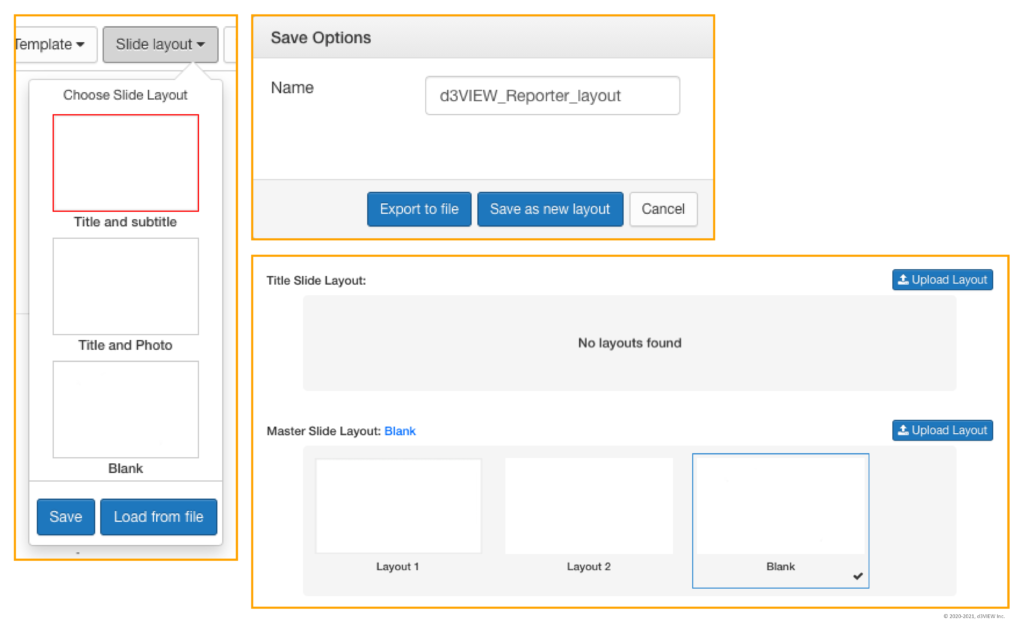
Enhanced PowerPoint Reporting with Slide Layout Customization
Reporting data in d3VIEW just got easier with the ability to change, modify and add layouts while saving PowerPoints in Simlytiks. While using the …

d3VIEW Launches New Website Debuting Platform Depictions
With Enhancing Illustrations, New FAQs and Application Pages We just launched our new website that summarizes the data-to-decision platform through …
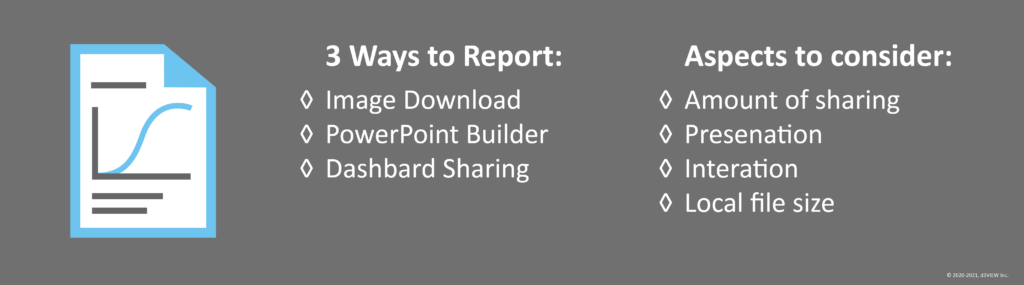
3 Ways to Report Data Exploration in Simlytiks
The endless amount of data exploration on Simlytiks makes the ability to effortlessly share our findings for reporting crucial. Reporting an exploration …
Dr. John Hallquist Video on LS-DYNA
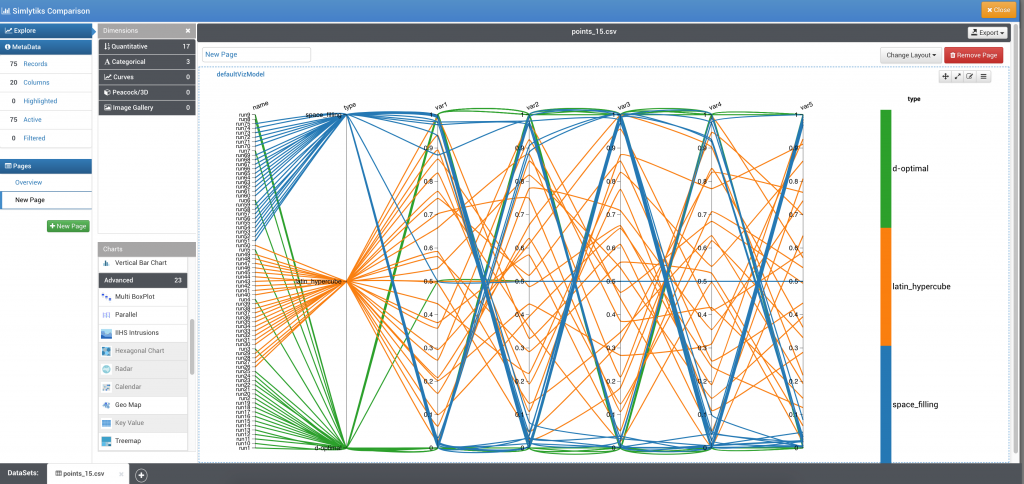
Visualizing LS-OPT®Sampling points in d3VIEW
LS-OPT offers several sampling schemes among which D-OPT, Space filling and Latin Hypercube are among the popular schemes. Using d3VIEW’s LS-OPT output …
Rare video of Dr. John Hallquist on how DYNA3D (now LS-DYNA) started in LLNL
A very rare and treasurable video of Dr. John Hallquist discussing about the problem that resulted in today’s LS-DYNA commercial software. You can read the …
Crashing A 1998 Toyota Into A 2015 Toyota Shows – How Far Car Safety Has Advanced
Free SSH and SFTP Tool for Windows
Windows users usually have a need to connect to Linux based systems and rely on Putty or commercially available tools. One software that system …
2015 LS-DYNA European Conference
2015 LS-DYNA European conference will be held in Wurzburg, Germany. You can get more information from here .

LS-DYNA Conference 2014
The 13th LS-DYNA conference was the largest conference which was attended by over 650 attendees from around the world. You can find the papers from the …
Commenting LS-DYNA Keyword Blocks
A clever way to comment out blocks of keyword can be easily achieved using the *COMMENT keyword. Example: In the following example, the keyword …
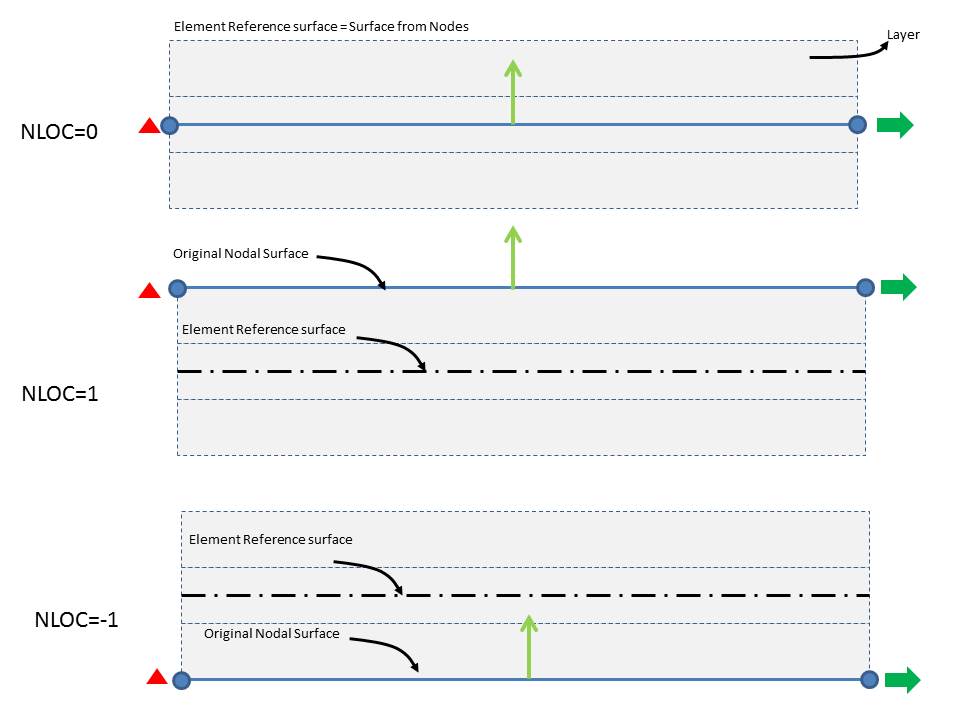
Parameter NLOC in *SECTION_SHELL
NLOC value (default = 0 ) allows you to specify an offset of the reference surface from the nodal surface. Image below illustrates the significance of this …