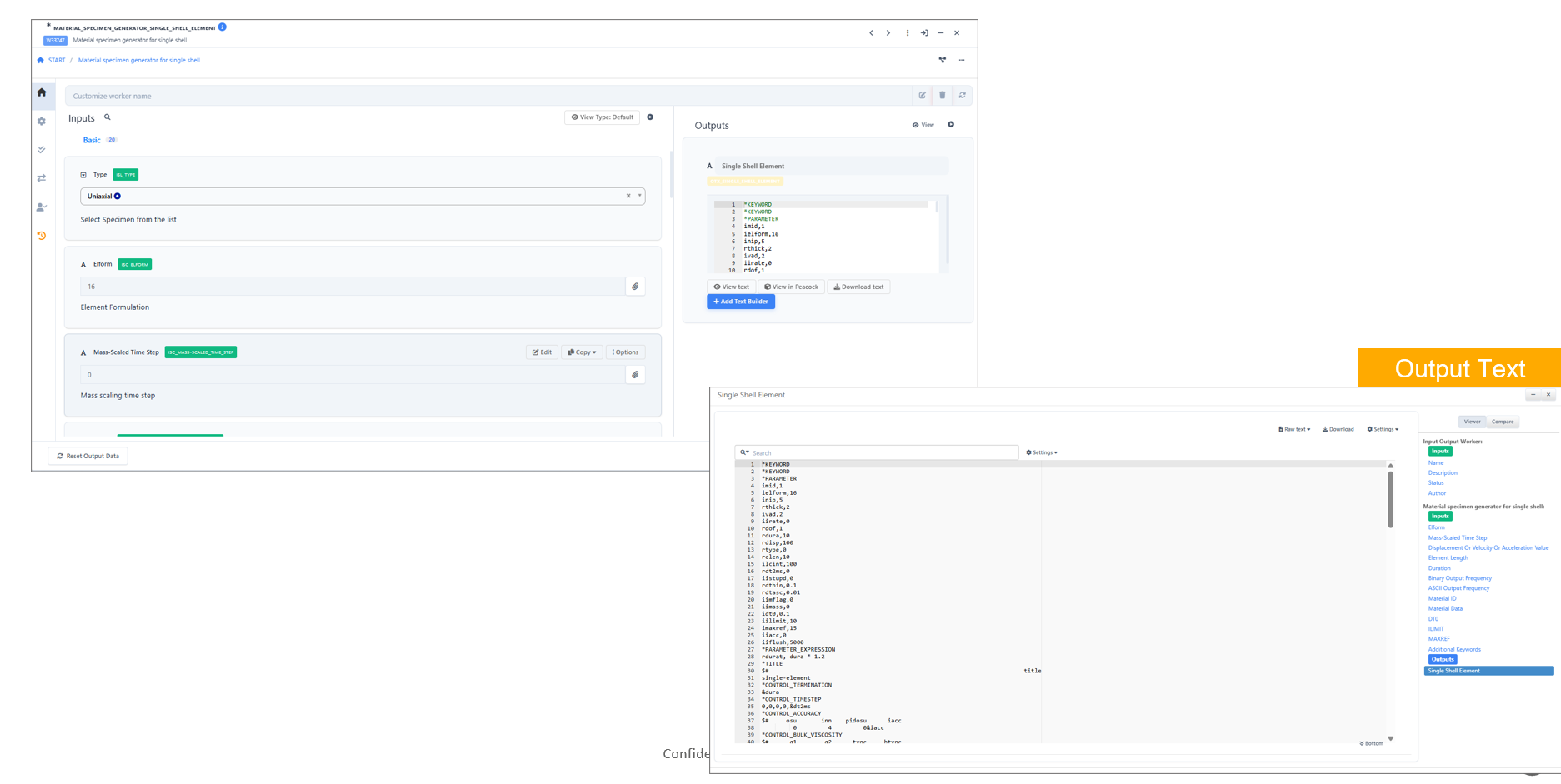
MATERIAL_SPECIMEN_GENERATOR_SINGLE_SHELL_ELEMENT
MATERIAL_SPECIMEN_GENERATOR_SINGLE_SHELL_ELEMENT
Overview
The MATERIAL_SPECIMEN_GENERATOR_SINGLE_SHELL_ELEMENT worker is a newly added component in Workflows. It enables users to generate a material specimen model using a single shell element, which is useful for simplified material testing, validation, and quick simulations.
This worker is designed to streamline the setup of minimalistic specimen configurations while maintaining compatibility with downstream simulation and analysis tools.
Key Features
- Generates a specimen using a single shell element
- Simplifies material model validation workflows
- Reduces preprocessing effort for quick testing scenarios
- Compatible with existing workflow inputs and outputs
- Enables rapid prototyping of material behavior
Usage
- Open the Workflow canvas.
- Navigate to the Shapes panel.
- Locate and add the
MATERIAL_SPECIMEN_GENERATOR_SINGLE_SHELL_ELEMENTworker to the canvas. - Connect the required inputs such as material properties and configuration parameters.
- Configure the worker settings as needed.
- Execute the workflow to generate the specimen model.