
5. Library Workflows
5.1. Workflow Collection
| ID | Name | Description | PDF link |
|---|---|---|---|
| 000 | EngStressStrainToMat24_G2_110424 | Converts stress-strain curve to Material card MAT 024 | 000 PDF |
| 004 | EngStressStrainToMat24_G2_110424 | Converts stress-strain curve to Material card MAT 024 | |
| 005 | CreateMaterialVariance_0925241234 | Converts variance curves for MAT_024 using min/mean/max | |
| 006 | Steel_Casting_Polymer_MAT_024 | Converts Eng-stress-strain curve with custom post necking treatment | |
| 007 | HIC_ML_AUTO | Uses ML_LEARN_AUTO to learn and predict from dataset. | 007 PDF |
| 008 | GISSMO_regularization_Workflow | Helps calibrate the mesh-regularization scale factors for MAT_ADD_EROSION card | |
| 009 | SPOTWELD_FAILURE_PREDITIONS | Using ORNL Spotweld Data, spotwelds failure can be predicted | 009 PDF |
| 010 | LS-DYNA_Material_validator | Parses LS DYNA material data and validates the material curves and properties | 010 PDF |
| 011 | Feature_Importance_grouped_Workflow | You can input the dataset and run feature importnace | 011 PDF |
| 012 | DOE_DataAnalyzer | Generic Doe Analyzer Workflow | 012 PDF |
| 013 | PolymerStrainRate_Workflow | Generic Polymer Calibration Workflow with Strain-rate effects. | 013 PDF |
| 014 | Poissons Ratio Generator for MAT_SAMP_LIGHT | Computes Plastic Poisson’s Ratio from 3D Strains and genreates MAT_SAMP_LIGHT | |
| 015 | Sample ML dataset | Simple ML Workflow | |
| 016 | Sanitize Test Data Curves | Test Material Curve Clean Up and Smoothing | |
| 017 | Convert Eng to MAT_024 | Convert Eng Stress vs Strain curve to LS-DYNA *MAT_024 keyword | |
| 019 | Generic Optimizer for DOE Data | General Purpose Optimizer | |
| 021 | Generic Multi-Simulation DOE Generator | General purpose MDO DOE with Includdes | |
| 100 | Generic_Data_Optimizer | With a Single input file, you can preform design sensitivity or optimize a structure | |
| 101 | Time_history_learn/predict_G3_Workflow | Learns a Time history based on inputs and predicts it. | 101 PDF |
| 102 | Robust Design Evaluator | Robust Design Evaluator | |
| 103 | Metals_Post-necking_calibration_with_DIC_workflow | Post necking calibration for Metals. | 103 PDF |
| 104 | GISSMO_Gen_5 | GISSMO Material Calibration | 104 PDF |
| 105,106 | NHTSA_Workflows | NHTSA based AI to predict Occupant rating based on vehicle information/cluster based on vehicle crassworthiness. | |
| 150 | Evaluate PEDPRO | General purpose PedPro impactor | |
| 200 | 200_BMS_PUBLISHER | Publishes BMS data into d3view | |
| 202 | general purpose staged Simulation | Publishes simulation from parent simulation | |
| 224 | learn and predict EIS/SOC | learn and predict EIS/SOC | |
| 251 | :ref:LSDYNA_GENERIC_DOE_GENERATOR_G2_0926241853 | LS-DYNA general purpose DOE data generator | |
| 300 | Polymer Verification and Re-calibration | Polymer Verification and Re-calibration | |
| 301 | Madymo_sample_Workflow | Madymo basic DOE Workflow | |
| 302 | Configure Crash and Safety Templates | General purpose Automotive Crash template configurator | |
| 400 | Data Imputation | Data Imputation | 400 PDF |
| 402 | Star Rating Calculator | General Purpose Star Rating calculator | 402 PDF |
| 403 | Find Closest Records to a Baseline | General purpose workflow to find closest records to a baseline | 403 PDF |
| 404 | Bulk Apply Templates to Tests | General purpose aplication to apply templates to set of physicaltestes | 404 PDF<https://www.d3view.com/wp-content/uploads/2025/03/404_Bulk_Apply_Templates_to_Tests.pdf> |
| 903 | Polymer Cockcroft Latham Damage Treatment | Polymer Cockcroft Latham Damage Treatment | |
| 901 | ML_HPC_Training | ML_HPC_Training | |
| 909 | NHTSA Vehicles | NHTSA Vehicles | |
| 251 | 251 LSDYNA GENERIC DOE GENERATOR | GeneratesDOE | |
| 110 | 110 Stamping Effect Simulator | Stamping Effect Simulator |
Search
Search support is now available for Library Workflows.
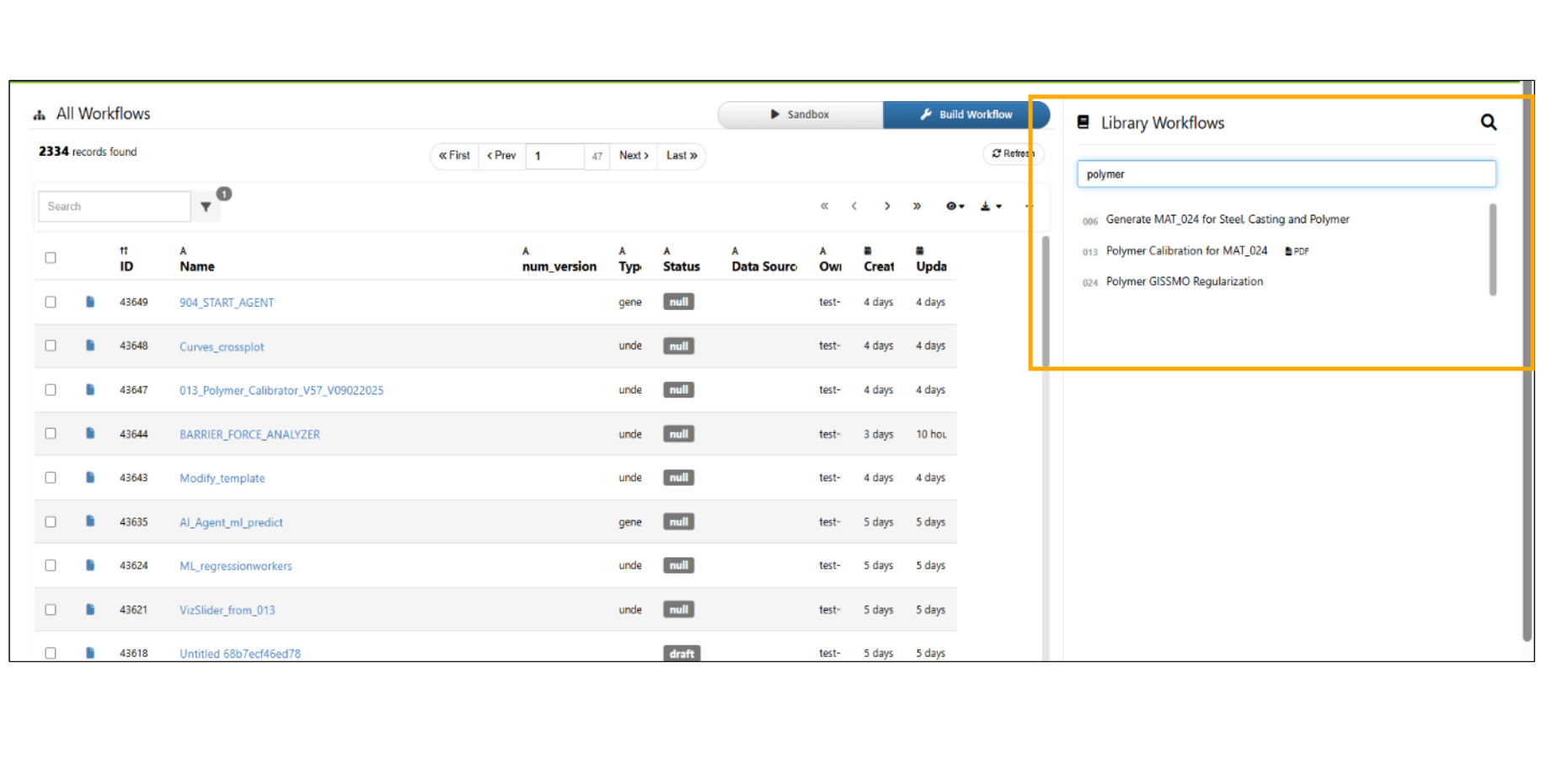
Download option is available for all the Library workflows when we hover on the Workflow.
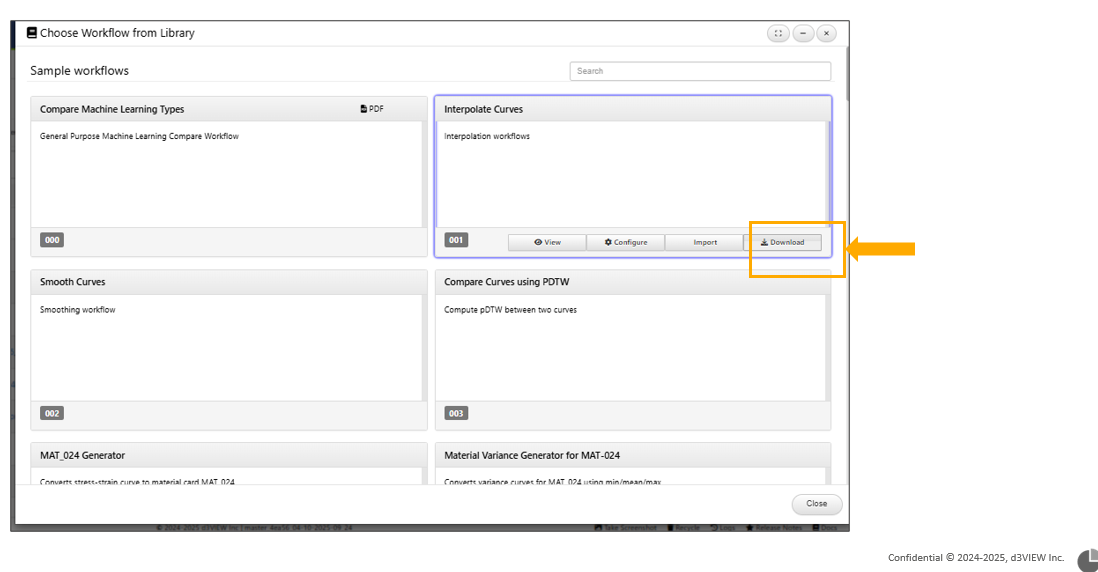
Sample Workflows are available in the Workflow collection Library. Below are the Workflows along with the links for the Sample Workflows available in the collection.
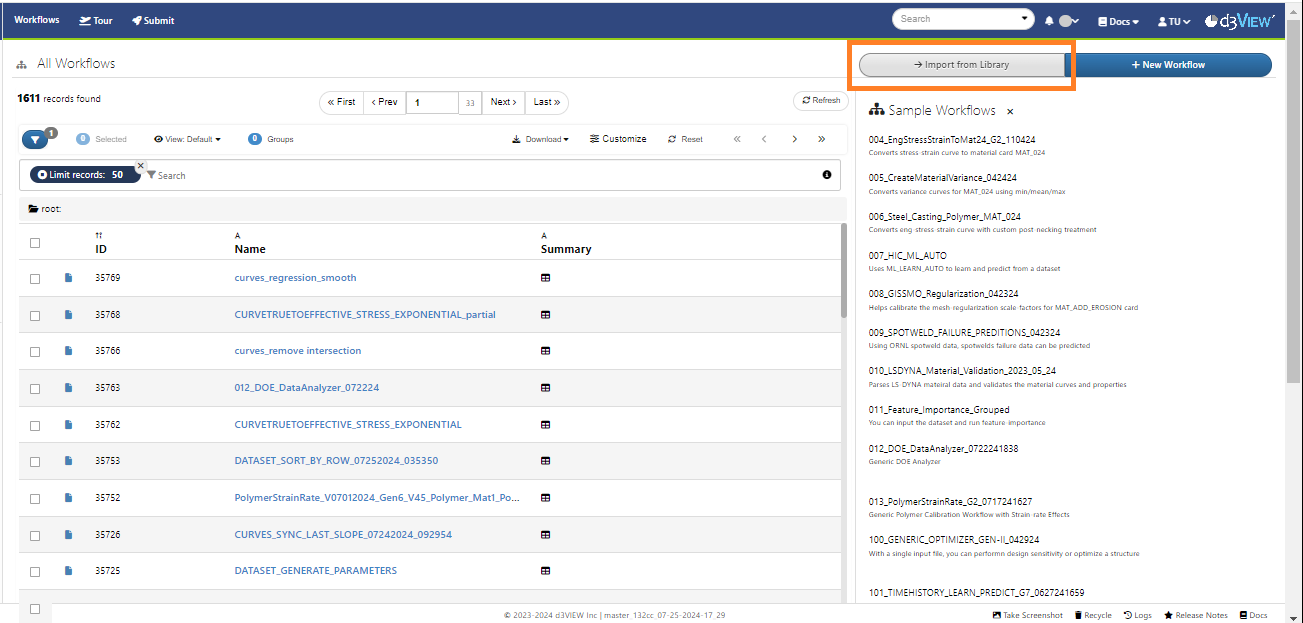
Library workflows updates
Library workflows will now have a time of modification.
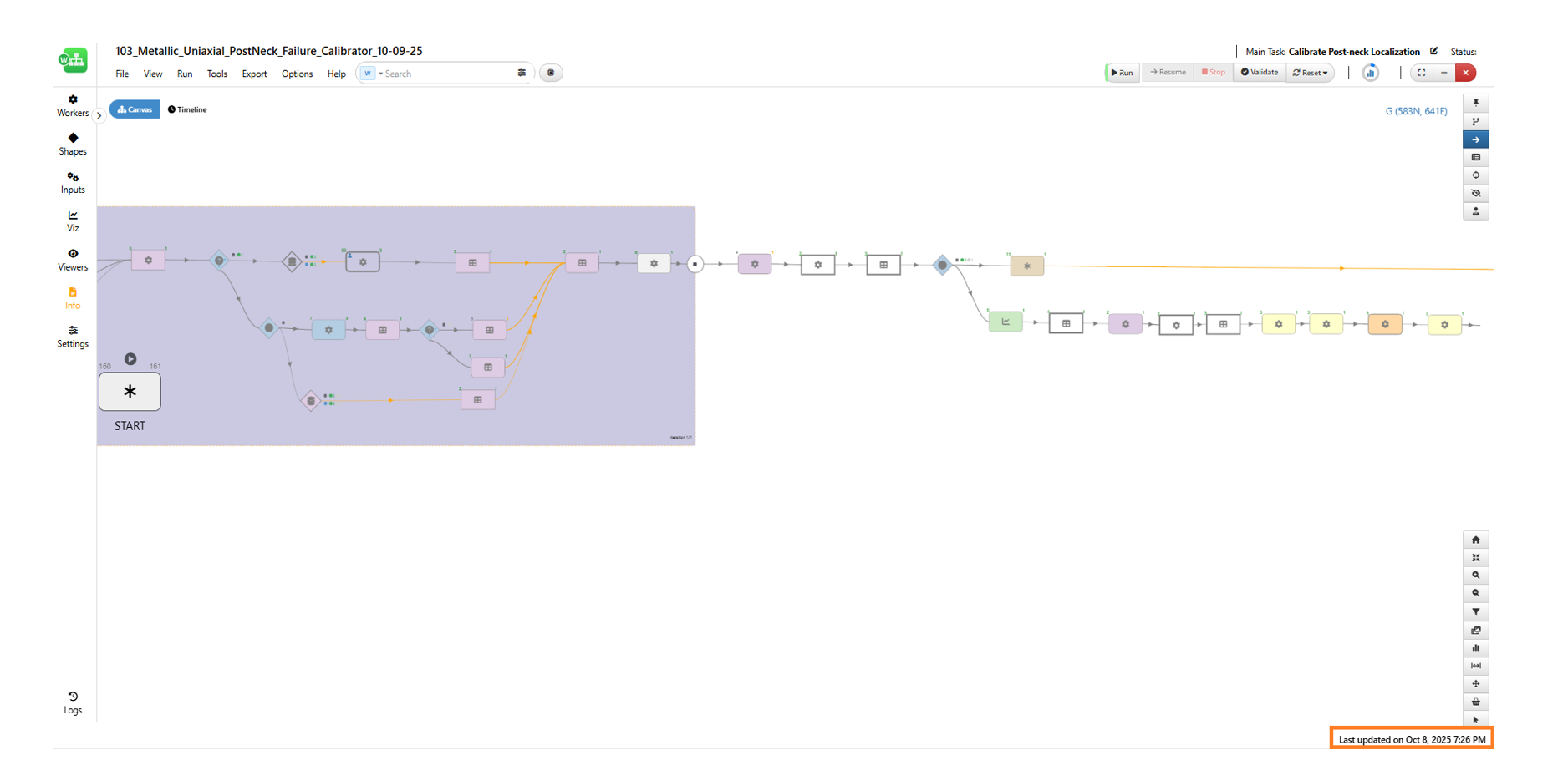
Library workflows time
5.2. Workflow Collection Videos
Few Library sample Workflows are associated with videos to show the execution of the Workflow with inputs.
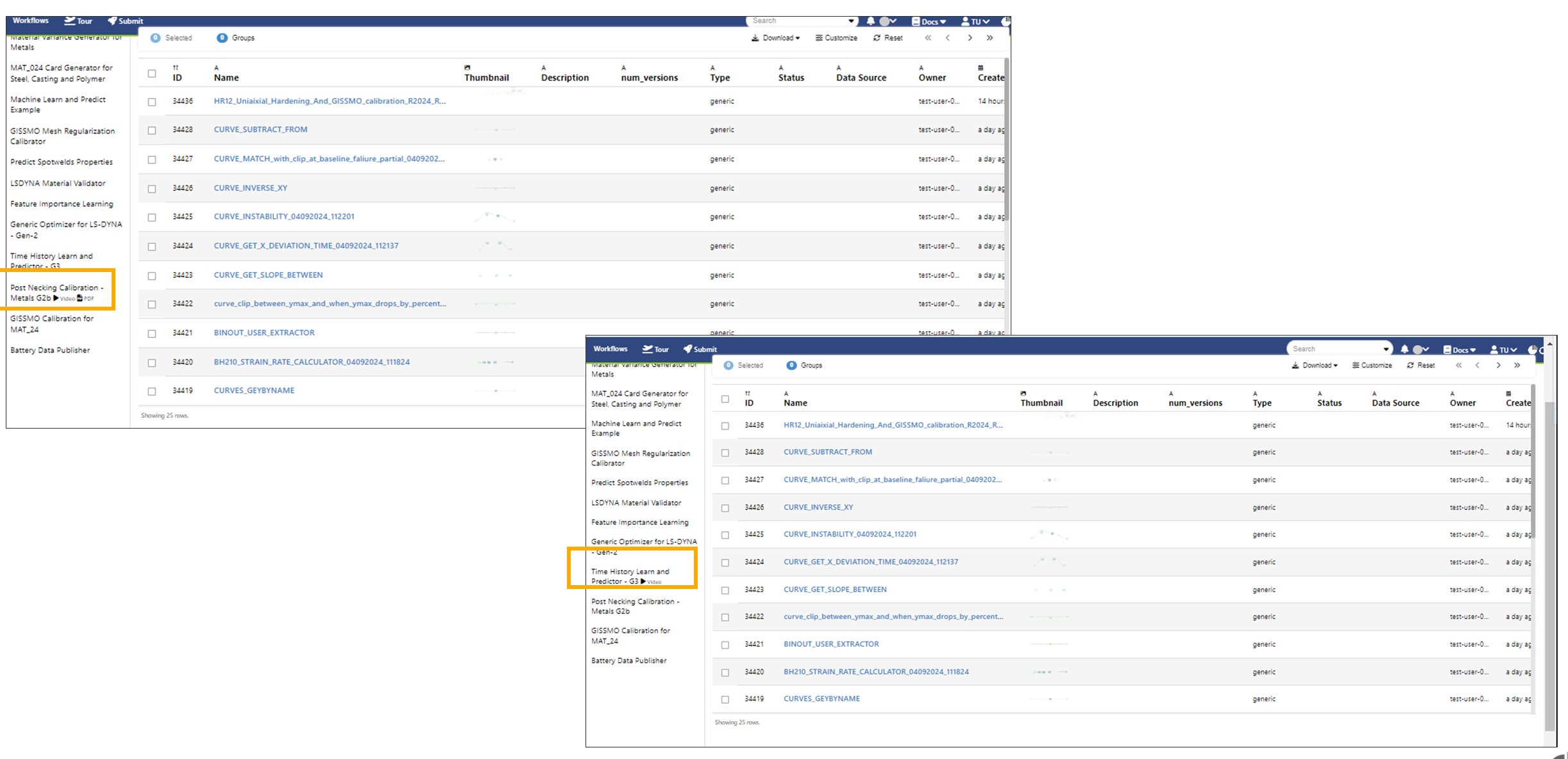
Workflow Video
5.3. 109 SideImpact and RoofCrush Compliance Reporter
The workflow “109 SideImpact and RoofCrush Compliance Reporter” is available in the workflow library to Run SideImpact and generate a report.
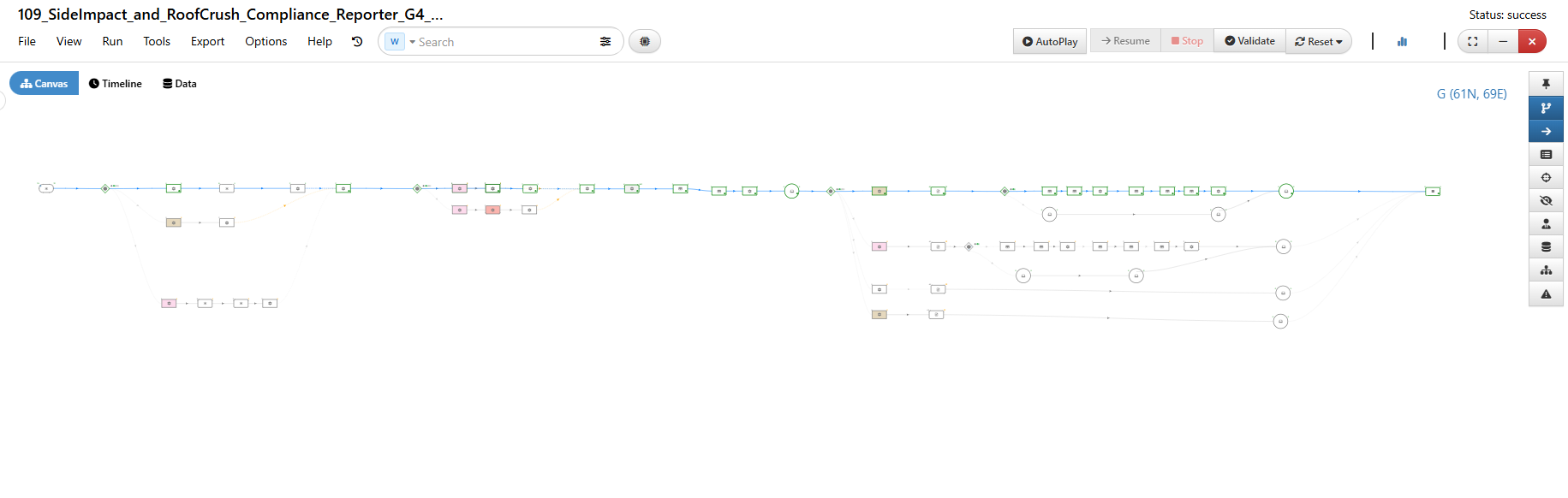
109 SideImpact and RoofCrush Compliance Reporter
Inputs
The Start worker has the following inputs for this Workflow.
- This workflow supports the ‘Source of Simulation’ input, allowing users to either select an existing simulation in the account or create a new simulation record using provided binout files or by submitting a new simulation.
We have provided the binout files in the ‘Binout Files’ input field available below the ‘Source of Simulation’ section.”
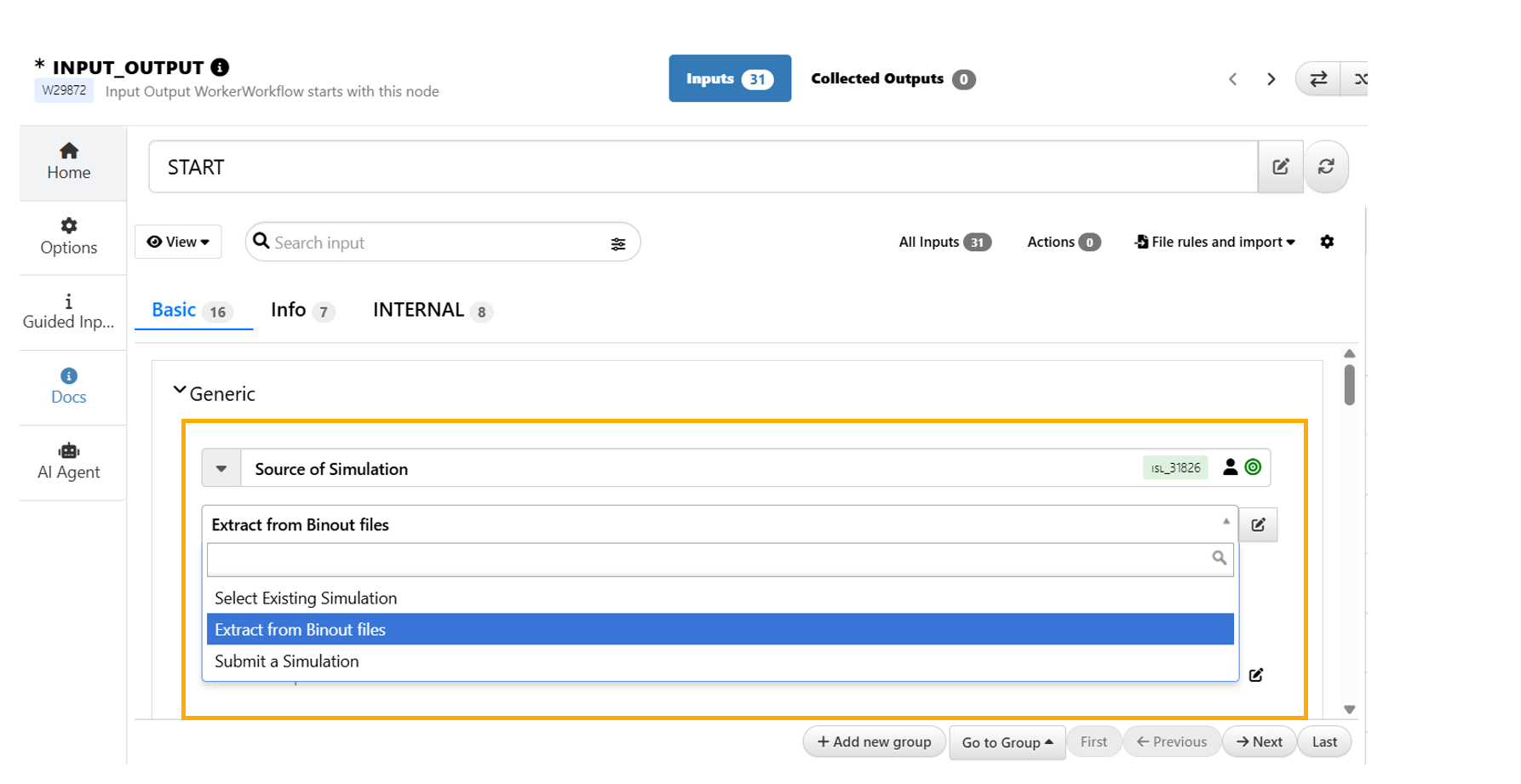
Simulation Submission
- We have an input called ‘Source of Template’ that allows users to select a template either from their own Templates section (if previously created), from the Template Library, or by uploading a JSON file.
The input field to upload a JSON file will appear based on the selection made in this ‘Source of Template’ input.
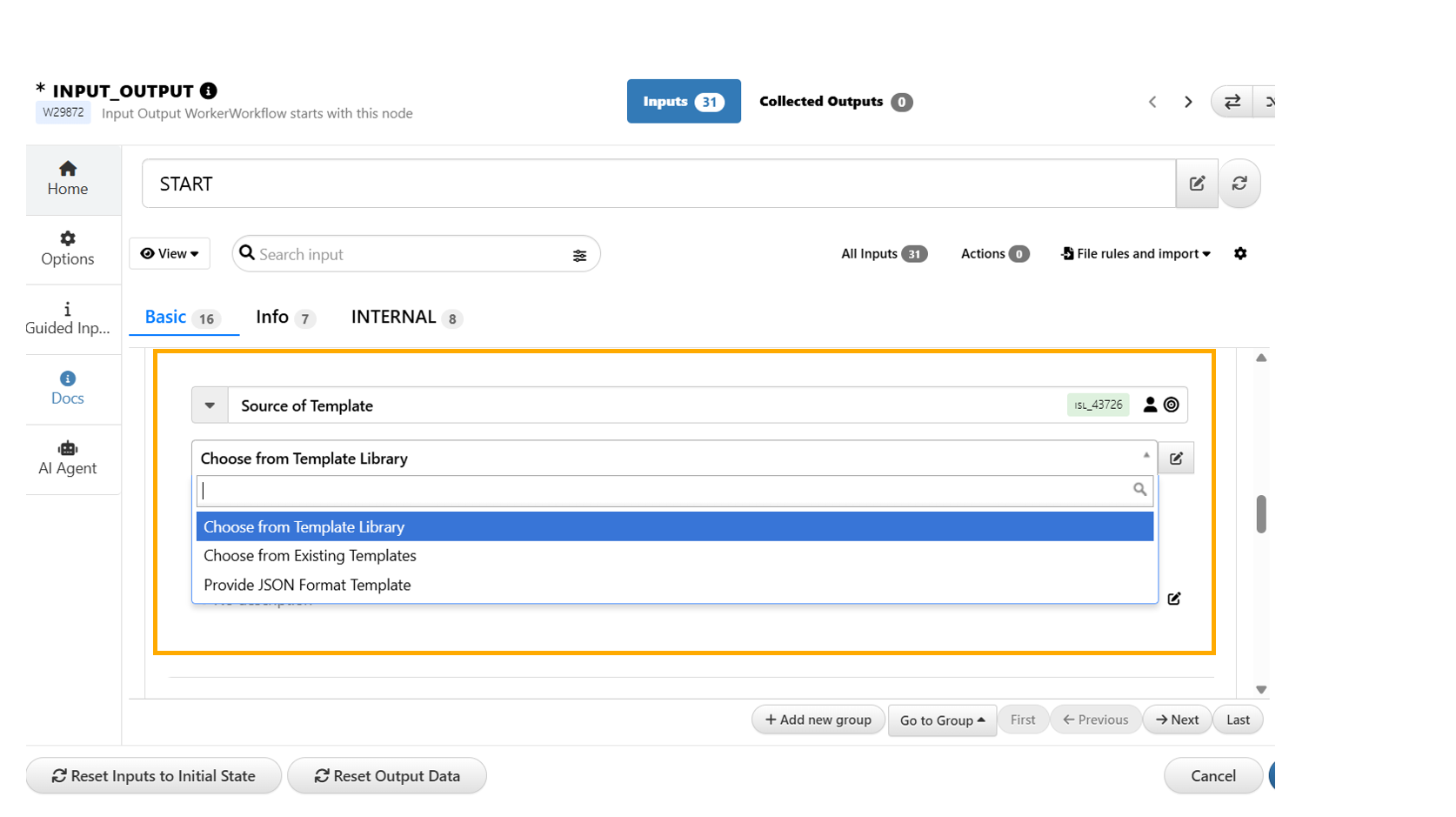
Template Selection
We also have the input to select the type of the template that can be used in the Workflow.
Below this input we have input selection of the templates from Library.
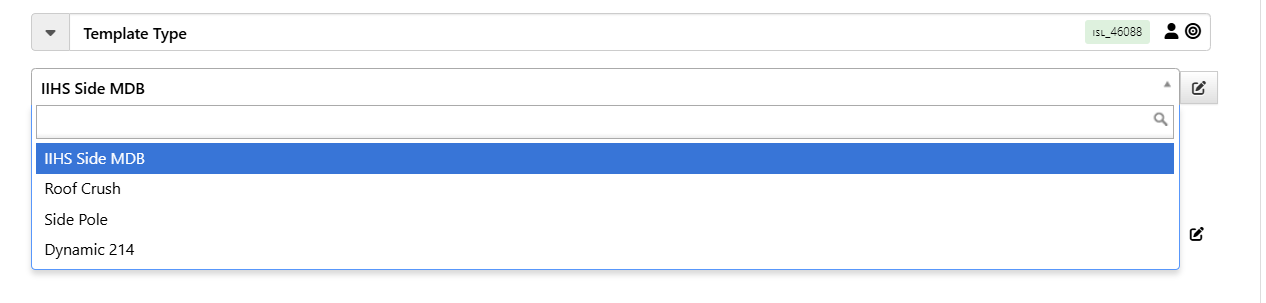
Template Selection
- The workflow also allows providing an Excel file into which key results will be written after the execution.
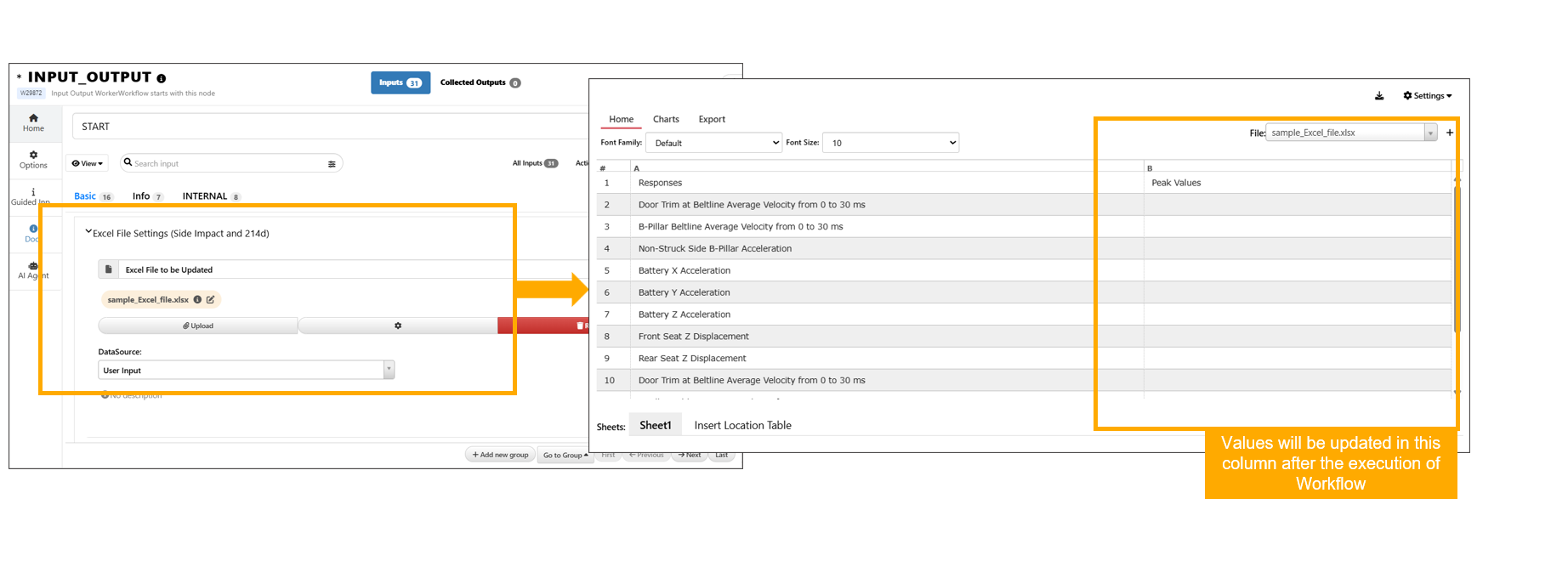
Excel File
Execution of Workflow
- Click on ‘AutoPlay’ or ‘Run’ button in the top header and click on RUN in the flow modal.
This will execute the entire Workflow and generate outputs.
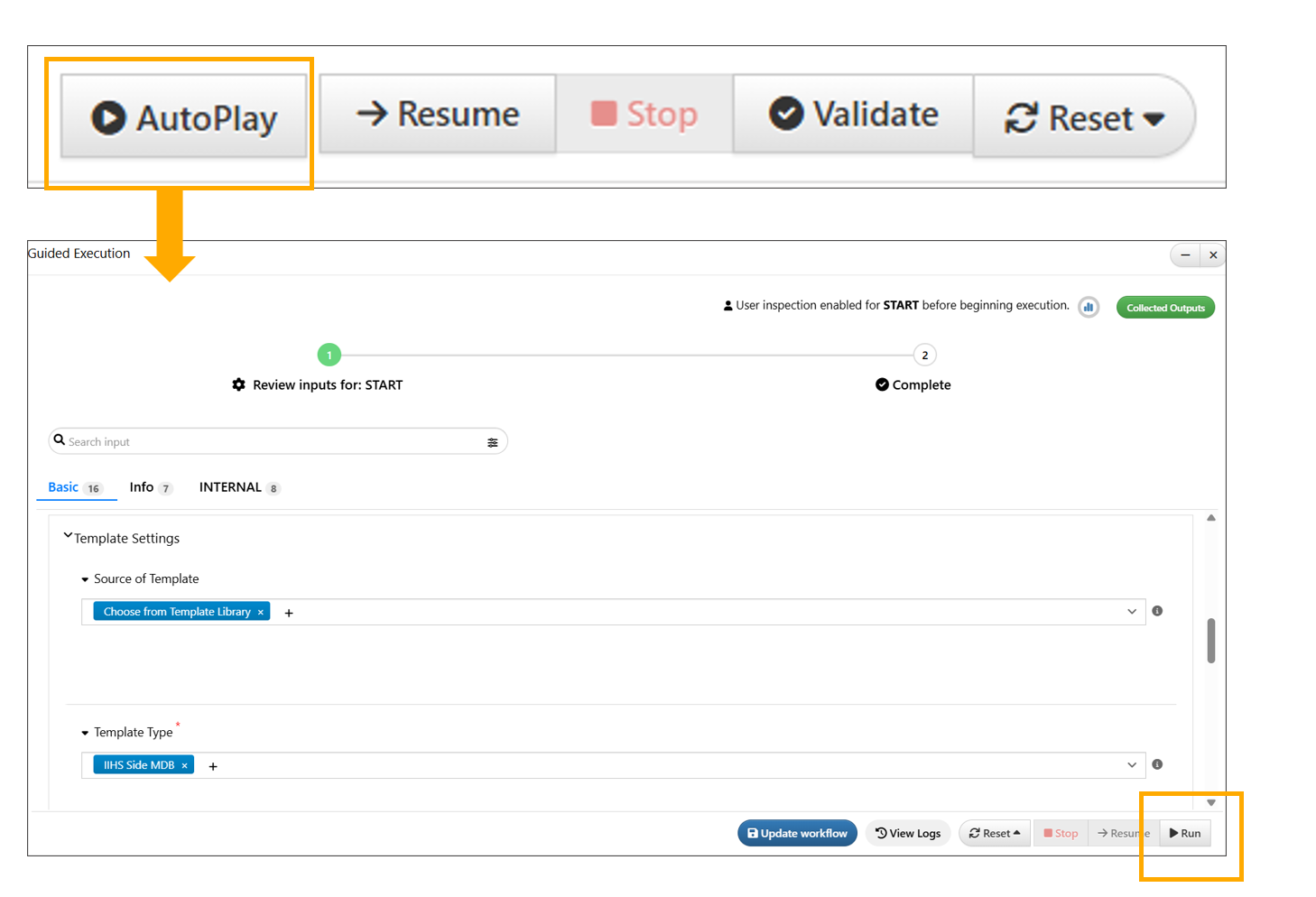
Execution of Workflow
109 SideImpact and RoofCrush Compliance Reporter
Reports Generated
- After execution, the worker *EXCEL_INSERT_VALUES produces a excel file with key results output and has an option to export the Excel file.
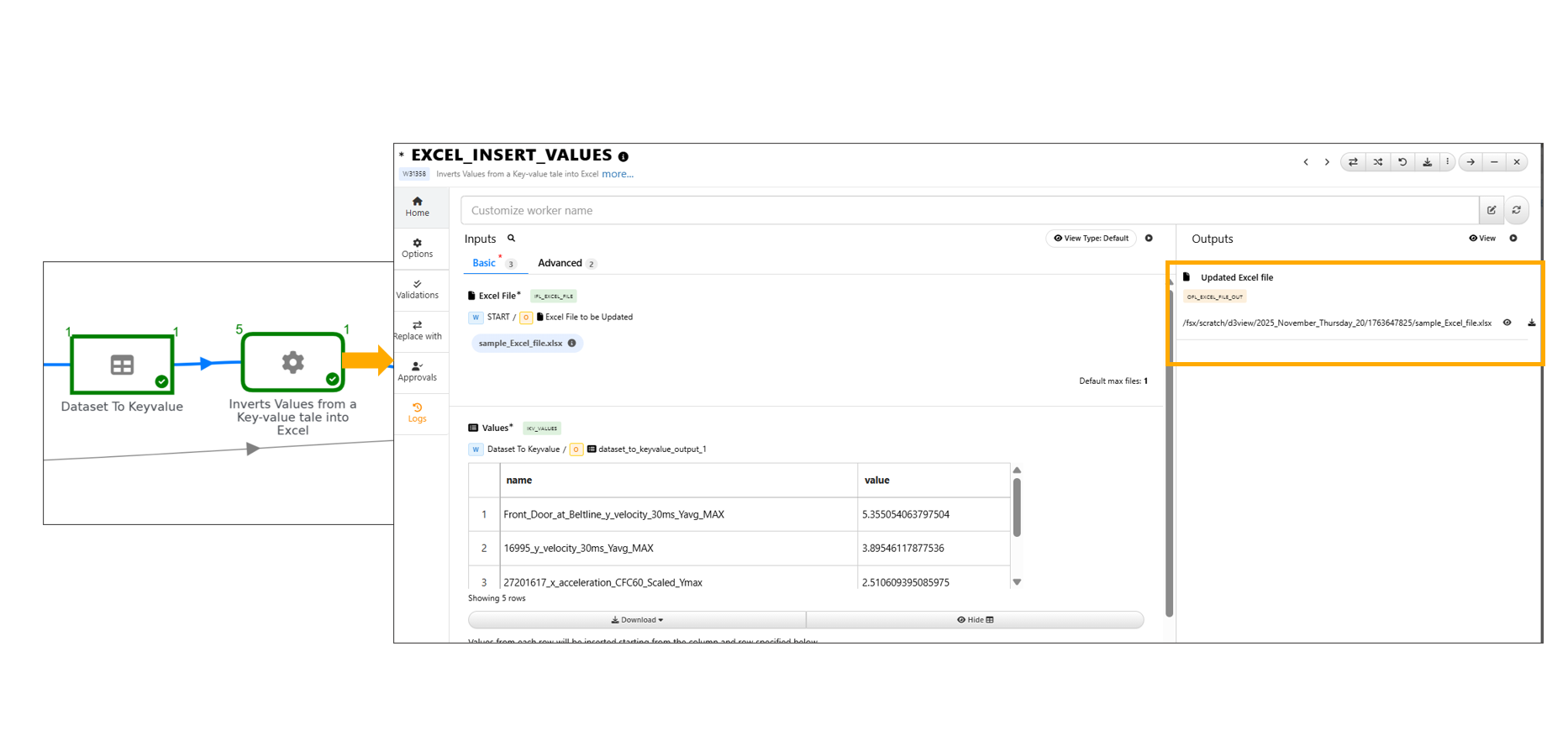
EXCEL_INSERT_VALUES
Exported output Excel file with key values
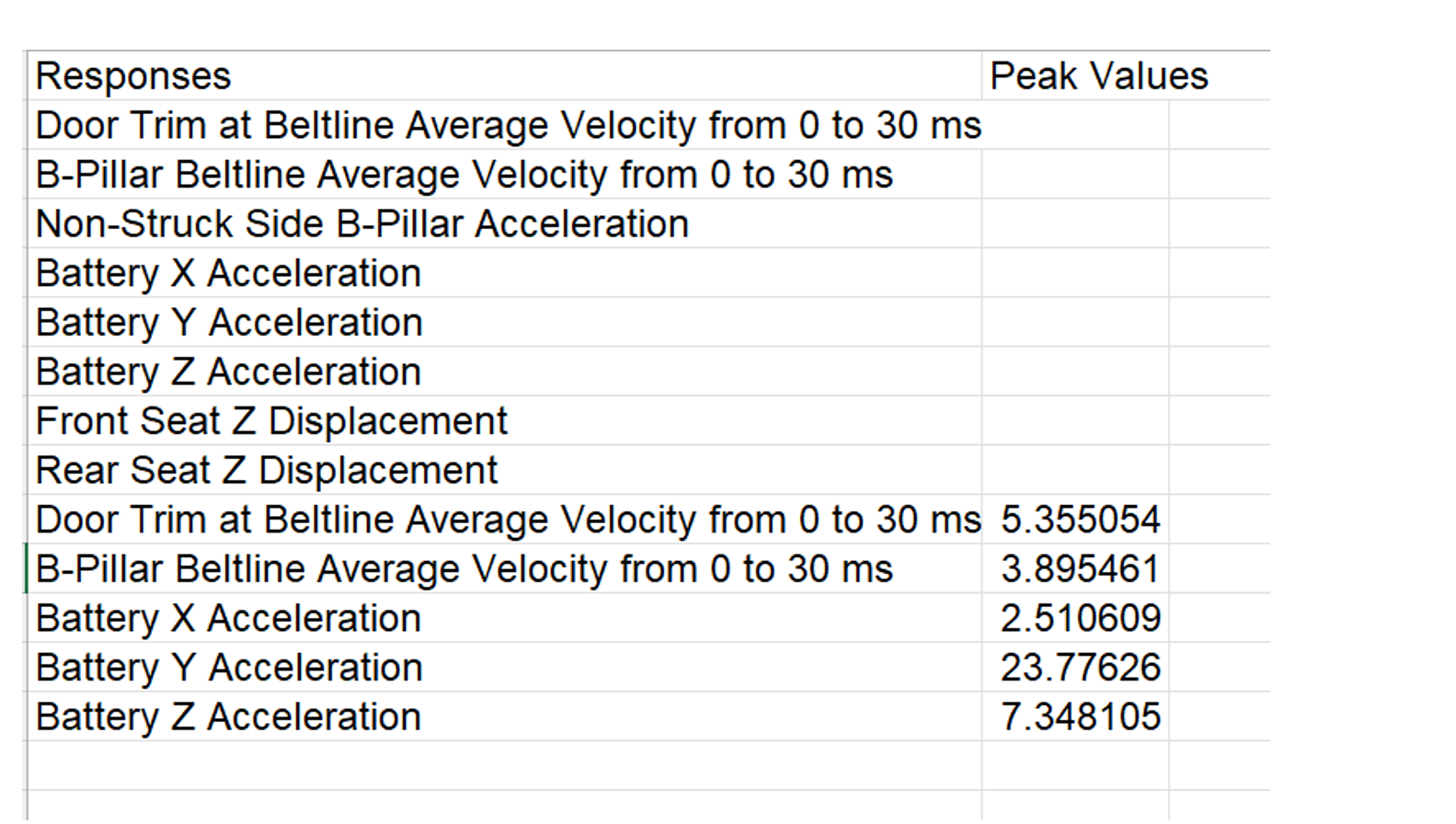
EXCEL_INSERT_VALUES output
- PPT Reporter,
Upon Workflow execution, the workflow processes the inputs and automatically generates the Side Impact report.
Below pictures show the Report generated.
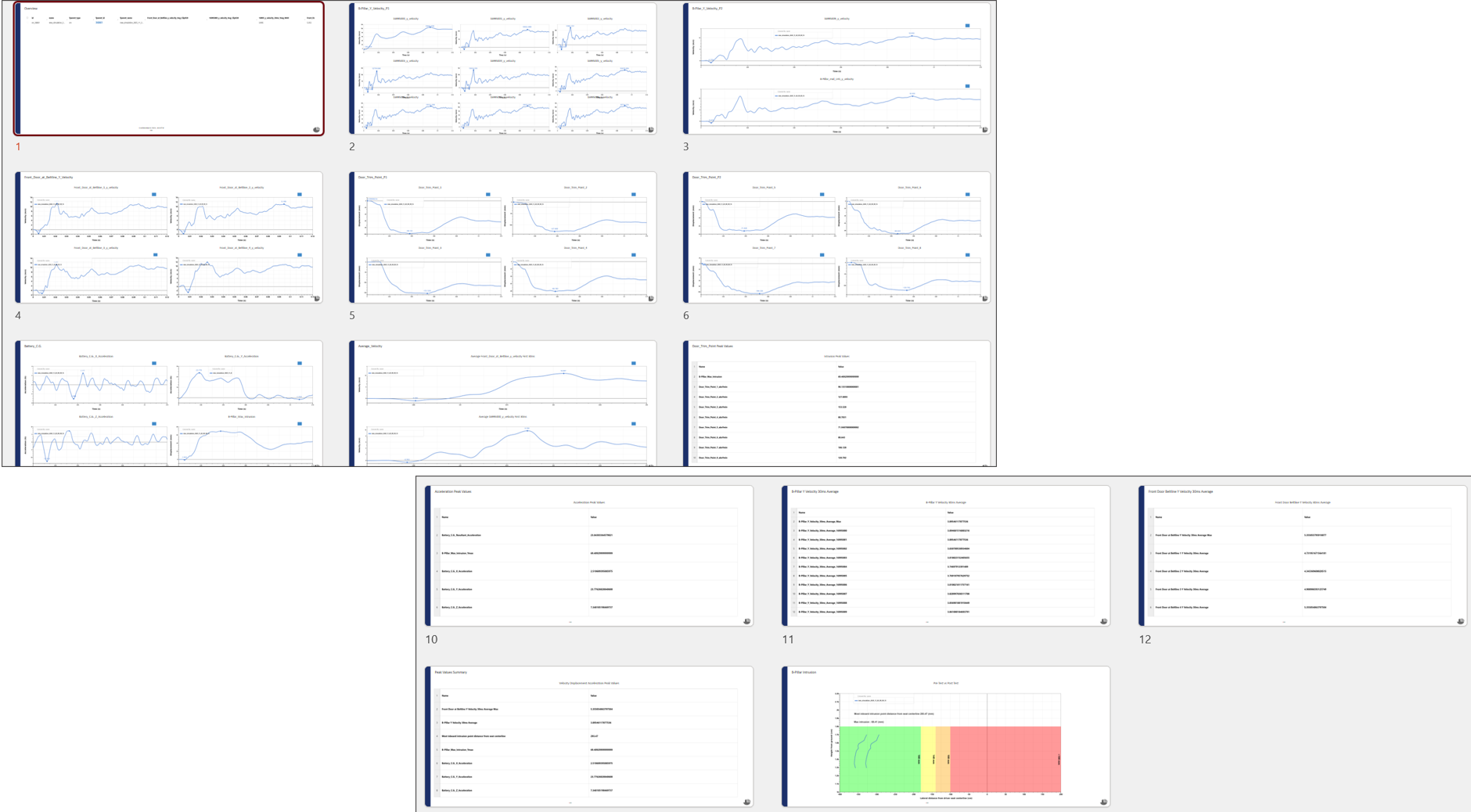
Report Generated